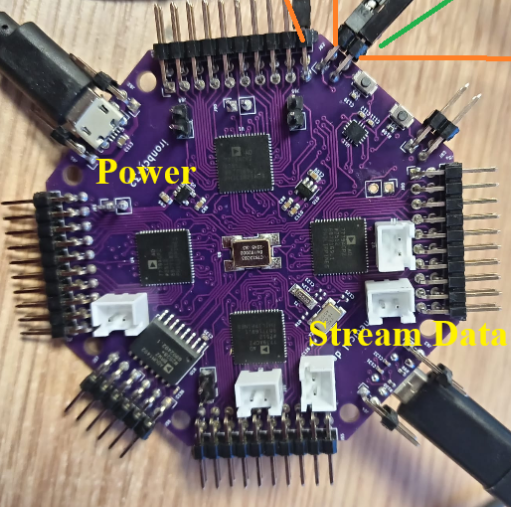
Connection
Safety — Battery Power Only. IronBCI-32 must be powered from a 5V USB battery only. The device must never be connected to mains power via USB or any other means. To ensure galvanic isolation and eliminate electromagnetic interference, the laptop receiving data must also run on battery power only — physically disconnected from the AC mains supply.
What You Need:
- IronBCI-32 device
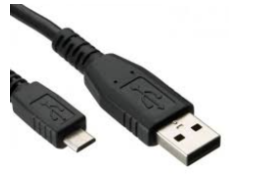
- Two Micro USB cables:
- Cable 1 — power supply
- Cable 2 — serial data stream
- 5V USB battery
Important: The data cable must be a full data cable — not a charge-only cable. A charge-only cable contains only 2 wires and cannot transmit data. A data cable contains 4 wires. If you are unsure, check the cable packaging or test it with another device before use.
Step 1 — Connect the Power Cable
Connect the first Micro USB cable from your 5V battery to the power input port on IronBCI-32. This powers the device.
Step 2 — Connect the Data Cable
Connect the second Micro USB cable from the serial data port on IronBCI-32 to a USB port on your laptop. Make sure your laptop is running on battery power and is unplugged from the mains before connecting.
Step 3 — Verify the Connection
Once both cables are connected and the device is powered on, your laptop should detect IronBCI-32 as a serial port device. Note the port name — you will need it for the software setup.
On Linux / macOS, the port will appear as something like /dev/ttyUSB0 or /dev/tty.usbserial-XXXX.
On Windows, it will appear as a COM port (e.g. COM3) in Device Manager.