How to start. Software with JNEEG
PiEEG Server
JNEEG runs the official PiEEG Server (opens in a new tab) —
the same real-time streaming, dashboard, recording, and integrations available on
the Raspberry Pi boards. It is an 8-channel board (single ADS1299); run it with
--device jneeg, which applies the jetson-nano hardware profile automatically
(600 kHz SPI, GPIO on /dev/gpiochip0).
Enable SPI on the 40-pin header
SPI is off by default on the Nano. Enable it with NVIDIA's config tool:
sudo /opt/nvidia/jetson-io/jetson-io.pyIn the menu: Configure 40-pin header → enable spi1 → Save and reboot. After reboot, confirm the device node exists:
ls /dev/spidev0.0Grant SPI/GPIO access
Add your user to the spi and gpio groups so you don't need sudo:
sudo groupadd -f spi
sudo usermod -aG spi,gpio "$USER"
Log out and back in (or reboot) for the groups to take effect.
Install the server
python3 -m venv .venv
source .venv/bin/activate
pip install --upgrade pip
pip install pieeg-server[rpi]
The rpi extra just installs spidev, which is generic Linux SPI and works on
the Jetson Nano. The Pi-only setup.sh script is not used on Jetson.
Verify and run
pieeg-server doctor          # diagnose SPI, GPIO, and dependencies
pieeg-server --device jneeg  # start streaming (8 channels)
The jetson-nano profile auto-detects from /proc/device-tree/model. Open
http://localhost:1617 (opens in a new tab) for the dashboard.
DRDY pin check (one-time). The jetson-nano profile assumes the data-ready
line (header pin 7) maps to line offset 216 on /dev/gpiochip0. If samples
never arrive, confirm the offset for your JetPack release with
sudo apt install -y gpiod && gpioinfo gpiochip0, then pass the chip explicitly:
pieeg-server --device jneeg --gpio-chip /dev/gpiochip0.
SDK
Scripts are available on GitHub. Read data with a band-pass filter and real-time visualisation with Jetson Nano for graph (opens in a new tab)
To save Raw data to Excel, you can use the following script (opens in a new tab) for Jetson Nano.
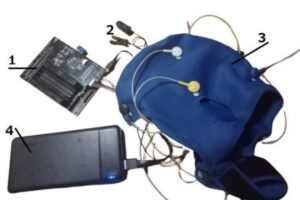
For power supply, use only a battery with 5V for JetsonNano, and for the monitor, as in the picture