Pins & Placement
The pogo-pin array
The underside of Octopus 16 is a tight cluster of 18 spring-loaded pogo pins. They are the electrodes.
| Pins | Count | Purpose |
|---|---|---|
| Signal | 16 | One per channel |
| Reference | 1 | Common reference (AINREF) for all 16 channels |
| Ground | 1 | Ground (GND) |
Because the reference and ground are inside the same cluster, you don't need ear clips or any other electrodes. The whole montage sits on one spot of the scalp.
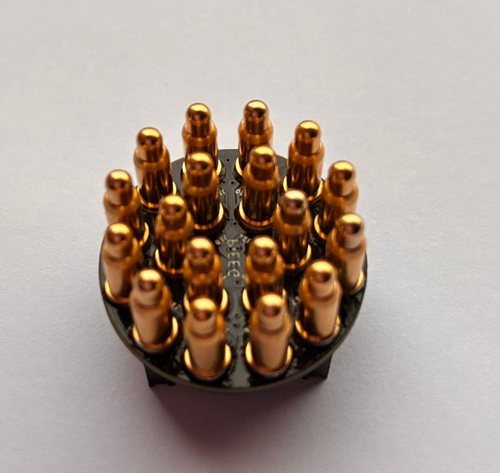
| Pin size | ⌀ 4 × 11 mm, spring-loaded |
| Pitch | About 5.38 mm, centre to centre, in a hexagonal pattern |
| Array size | About 20 × 20 mm, all pins within about 10.5 mm of the centre |
Channel positions
Positions of the 16 signal pins relative to the centre of the board, in millimetres, as used by the firmware for on-board spatial processing. Use them if you want to draw a local topographic map.
| Ch | x (mm) | y (mm) | Ch | x (mm) | y (mm) | |
|---|---|---|---|---|---|---|
| 1 | 10.14 | −2.72 | 9 | −10.14 | 2.72 | |
| 2 | 7.43 | −7.43 | 10 | −7.43 | 7.43 | |
| 3 | 2.75 | −4.77 | 11 | −2.75 | 4.76 | |
| 4 | 2.72 | −10.15 | 12 | −2.72 | 10.14 | |
| 5 | −2.72 | −10.14 | 13 | 2.72 | 10.15 | |
| 6 | −2.75 | −4.77 | 14 | 2.75 | 4.77 | |
| 7 | −7.42 | −7.42 | 15 | 7.43 | 7.42 | |
| 8 | −10.14 | −2.73 | 16 | 10.14 | 2.71 |
Channels 1–8 come from the first ADS131M08 and channels 9–16 from the second.
Reference and ground jumpers
Small jumpers on the board choose where the reference and ground come from:
| Jumper | What it does |
|---|---|
AINREF_POGOPIN_ON | Uses the reference pogo pin in the cluster (normal single-board use) |
GND_ON | Connects the ground pogo pin |
AINREF_STACK_ON, STACK_1, STACK_2 | Share reference and ground between stacked boards |
Boards ship set up for single-board use. Only change the jumpers if you are stacking boards or experimenting with the reference.
XIAO pin map
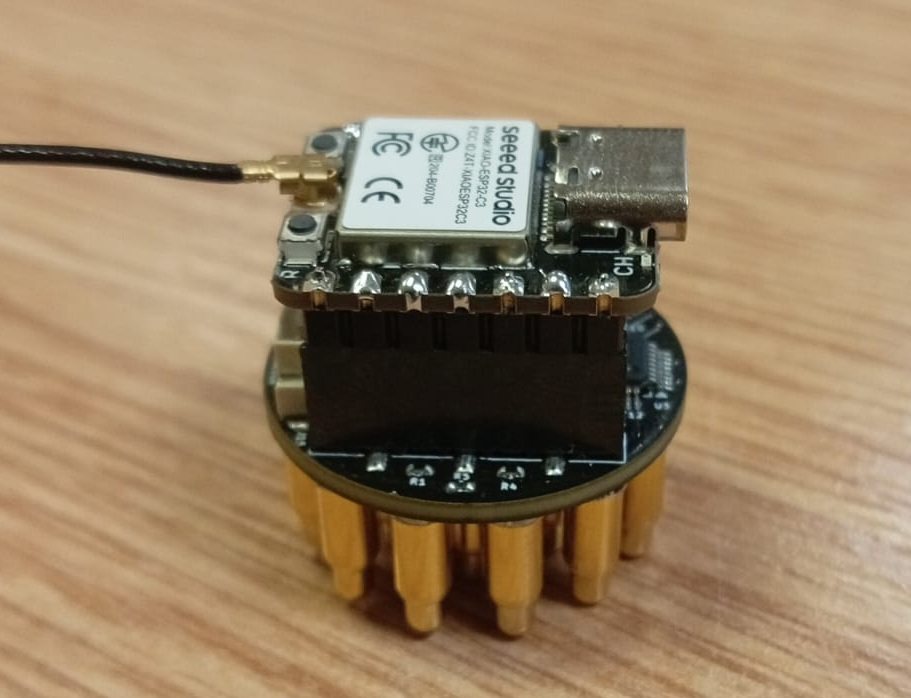
The XIAO ESP32-S3 sits on top and talks to both converters over one SPI bus.
| XIAO pin | Signal |
|---|---|
| D0 | Chip select, ADC 1 (channels 1–8) |
| D1 | DRDY from ADC 1 (sample ready, sync master) |
| D2 | RESET, shared by both ADCs |
| D3 | Chip select, ADC 2 (channels 9–16) |
| D6 | CLKOUT |
| D8 | SPI SCLK |
| D9 | SPI MISO |
| D10 | SPI MOSI |
| 5V, GND, 3V3 | Power. Must line up with the same labels on the Octopus 16. |
Where to place it
Pick the spot that matches what you want to see.
| Spot | 10-20 position | Good for |
|---|---|---|
| Top-back of the head | Pz | Alpha rhythm (eyes closed), the default spot |
| Back of the head | Oz, O1, O2 | Alpha, visual activity |
| Top of the head | Cz | Motor activity |
| Forehead | Fp1, Fp2 | Blinks and eye movement (an artifact demo) |
How to wear it
- Part the hair under the cluster so the pins reach the scalp.
- Press the board straight down (90°). Don't slide or tilt it while pressed.
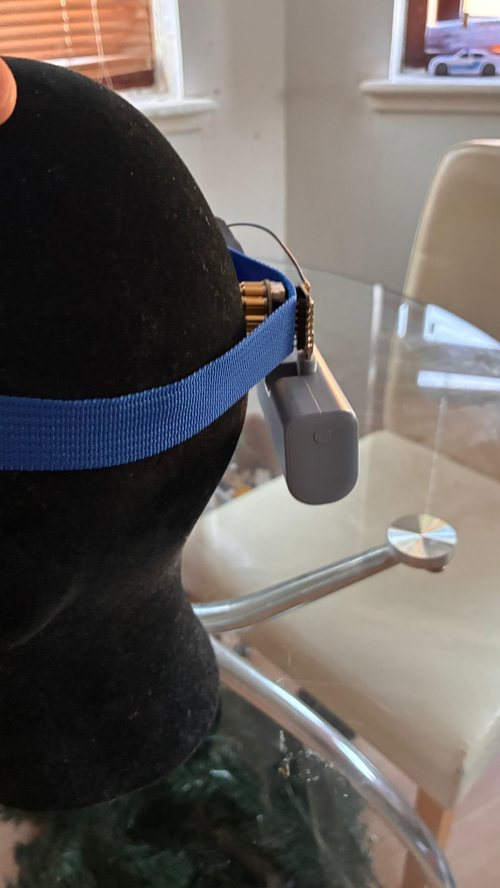
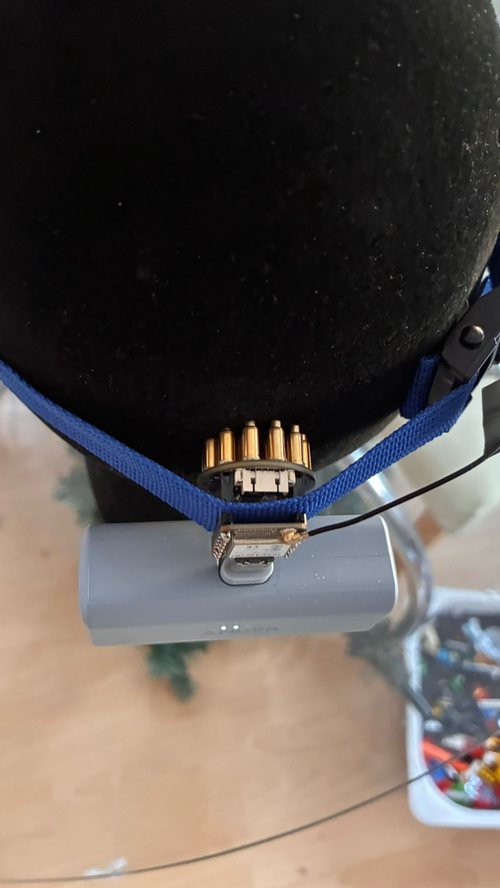
- Hold it with an elastic strap or headband. The power bank can sit under the strap at the back.
- Sit still for the first recording. Movement shifts the pins.
You are free to find your own way to mount it. In this example, the board sits over the visual cortex between the Octopus and a strap holding the power bank:
Good contact on all 18 pins is the single biggest factor in signal quality. If some channels are noisy, press the board more evenly or part the hair again.