How to Start
From the box to 16 live channels in your browser, in seven steps.
Gather the parts
You need the Octopus 16, a Seeed Studio XIAO ESP32-S3 with its antenna, a USB-C data cable, a small 5 V power bank and a strap. See What's in the Box.
Mount the XIAO the right way round
- Solder the headers onto the XIAO ESP32-S3 if it came without pins.
- Line up the XIAO with the sockets on the Octopus 16 so the
5V,GNDand3V3labels on both boards match. - Press it down gently until it's fully seated.
- Clip the BLE antenna onto the XIAO's antenna connector.
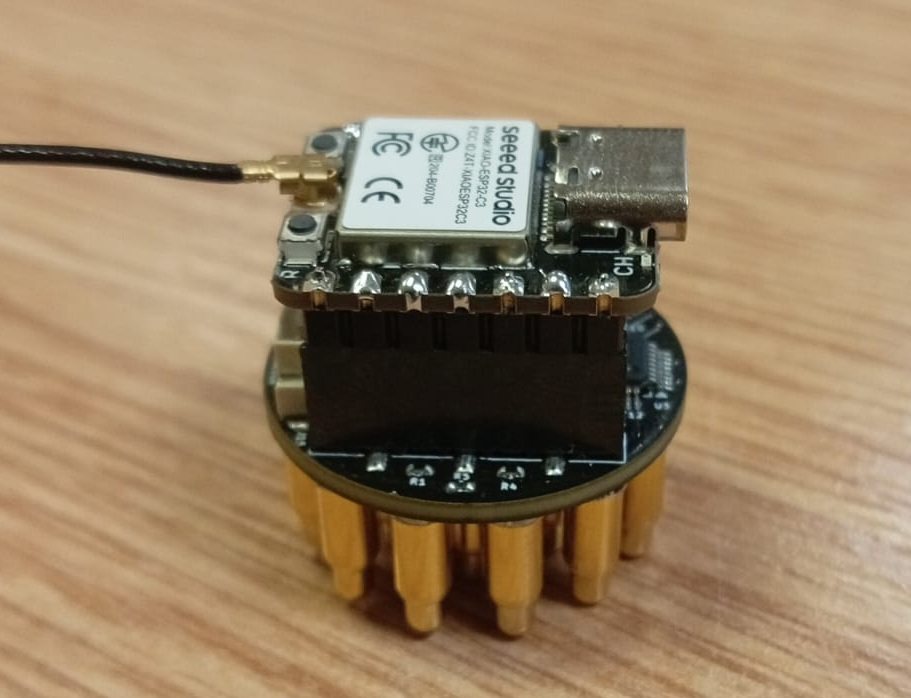
A XIAO mounted 180° the wrong way still flashes and shows up on Bluetooth, but sends no EEG data (the LED fast double-blinks). Check the 5V / GND / 3V3 labels line up.
Flash the firmware (first time only)
- Open octobridge.pieeg.com/flash (opens in a new tab) in desktop Chrome or Edge.
- Plug the XIAO into the computer with the USB-C data cable. The board must not be on anyone's head.
- Click Install Octopus-16, choose the port and wait about 30 seconds.
- Unplug and replug once. It now shows up over Bluetooth as
Octopus-16-XXXX.
No port? Hold BOOT, tap RESET, release BOOT and install again. Full details: Firmware.
Power from the power bank
Unplug the computer's USB cable and connect the power bank to the XIAO's USB-C port. The LED blinks slowly while it waits for a connection.
The board has no isolation from its power supply. While it's on a head, it runs from the power bank only, never plugged into a computer or a wall charger.
Connect over Bluetooth
- Open cloud.pieeg.com (opens in a new tab) in Chrome or Edge.
- In the Session Lobby, open the PiEEG Devices tab and choose Octopus 16.
- Pick
Octopus-16-XXXXin the browser's Bluetooth window.
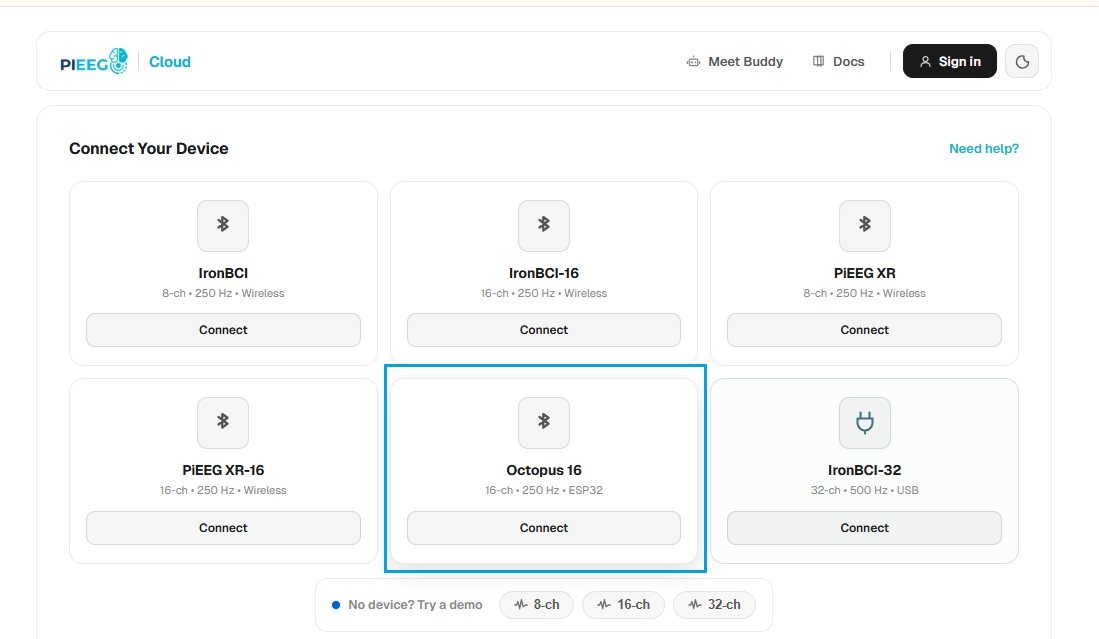
When connected, the LED stays on and data streams at 250 samples per second.
Put it on
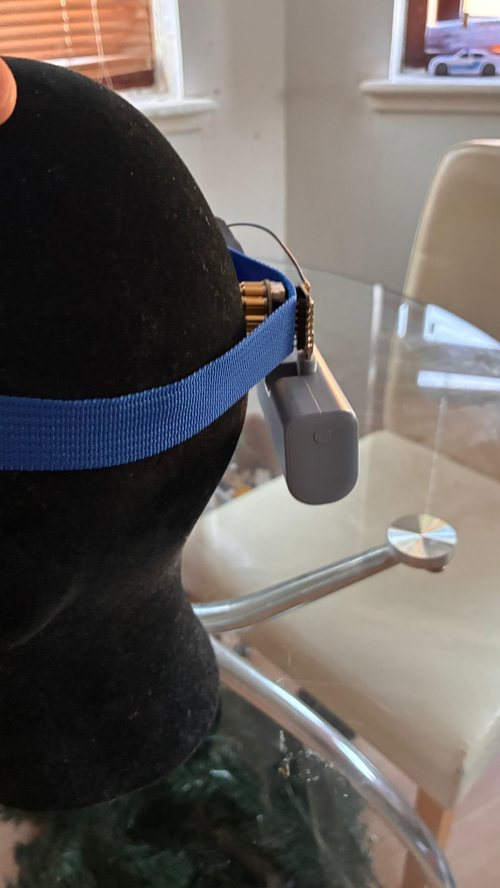
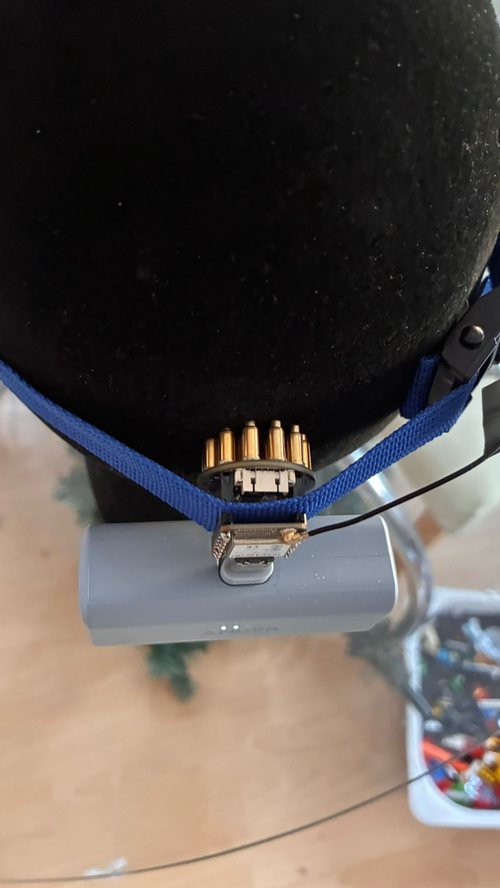
- Place the sensor over Pz (top-back of the head) for the alpha test, or over the back of the head (visual cortex).
- Part the hair under the cluster so the pins reach the scalp.
- Press it straight down and hold it with the strap. The power bank can sit under the strap at the back of the head.
Check the signal
Sit still, relax the face and run these quick tests. If they behave as described, you are recording real biosignals.
| Test | What you should see |
|---|---|
| EEG ok (PiEEG Cloud / octoBridge) | Green when the signal size (RMS) is between 2 and 200 µV |
| Close your eyes for 10 seconds (sensor over Pz) | Alpha (8–13 Hz) rises, then drops when the eyes open |
| Blink (sensor on the forehead) | Large slow spikes on every channel |
| Clench the jaw | RMS and gamma jump, then settle. That is muscle, not brain activity. |
Next steps
- Build something: block programs in octoBridge, or your own web app with the JavaScript SDK.
- Weak or noisy signal? See Troubleshooting & Care.