Software
IronBCI-8 streams over Bluetooth Low Energy, so it works with any device that has BLE. Pick the option that fits what you want to do.
| Best for | Runs on | Install | |
|---|---|---|---|
| PiEEG Cloud | Fastest start, dashboards, experiences, AI copilot | Chrome or Edge | None |
| Android app | Mobile demos and recording on the go | Android | One APK |
| PiEEG Server | Recording, LSL, OSC, webhooks, WebSocket stream to any language | Windows, macOS, Linux | pip |
| Python SDK | Learning the BLE protocol, custom processing | Windows, macOS, Linux | pip install bleak |
| JavaScript SDK | Your own web app | Chrome or Edge | One script |
Device name and protocol
All options connect the same way: scan for the device, then subscribe to its data characteristic. You don't need to pair it in your system's Bluetooth settings.
| Advertised name | EAREEG (some units: IronBCI) |
| Data characteristic (notify) | 0000fe42-8e22-4541-9d4c-21edae82ed19 |
| Data | 8 channels × 3 bytes, 24-bit, 250 samples per second |
Full packet format: Specification.
PiEEG Cloud (browser)
- Open cloud.pieeg.com (opens in a new tab) in Chrome or Edge (desktop or Android).
- In the Session Lobby, open the PiEEG Devices tab and choose IronBCI.
- Pick the device in the browser's Bluetooth window.
You get live waveforms, spectra, 3D topographic maps, recording and playback, plus the Live Lab and Buddy AI. Processing runs in your browser. PiEEG Cloud is free with PiEEG hardware. More: PiEEG Cloud.
Android app
An open-source Android app (MIT licence) for live viewing and recording.
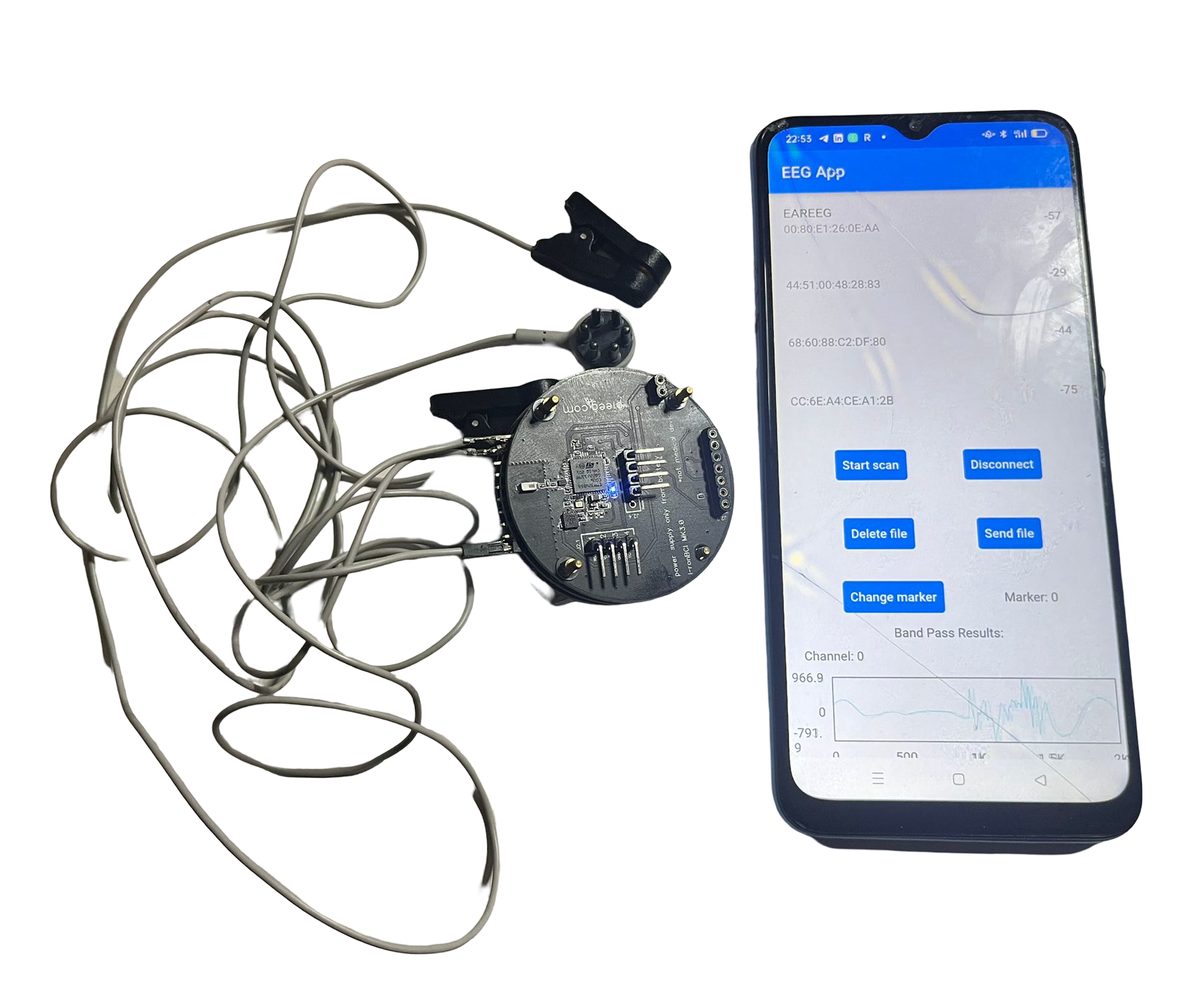
- Download
mobile_sdk.apk(opens in a new tab) and install it on your phone (allow installs from this source when Android asks). - Open the app, and in settings choose 8 ch.
- Connect to the device. The signal appears in real time, with on-device filtering.
- Press Save to start recording and Stop to finish. You can then send the file any way you like (email, Drive, messenger).
The Flutter source code is in EEG-Flutter-App-master.zip (opens in a new tab), so you can build your own app on top of it. The app is based on BodyPress (opens in a new tab).
PiEEG Server
PiEEG Server connects to IronBCI-8 over BLE and gives you a browser dashboard, recording and a real-time data stream. No Raspberry Pi needed: it runs on any computer with Bluetooth LE.
pip install "pieeg-server[ironbci]"     # Python 3.10+, installs bleak for Bluetooth

pieeg-server --device ironbci8                                    # scan and connect
pieeg-server --device ironbci8 --ble-name IronBCI                 # if your unit uses another name
pieeg-server --device ironbci8 --ble-address AA:BB:CC:DD:EE:FF    # skip the scan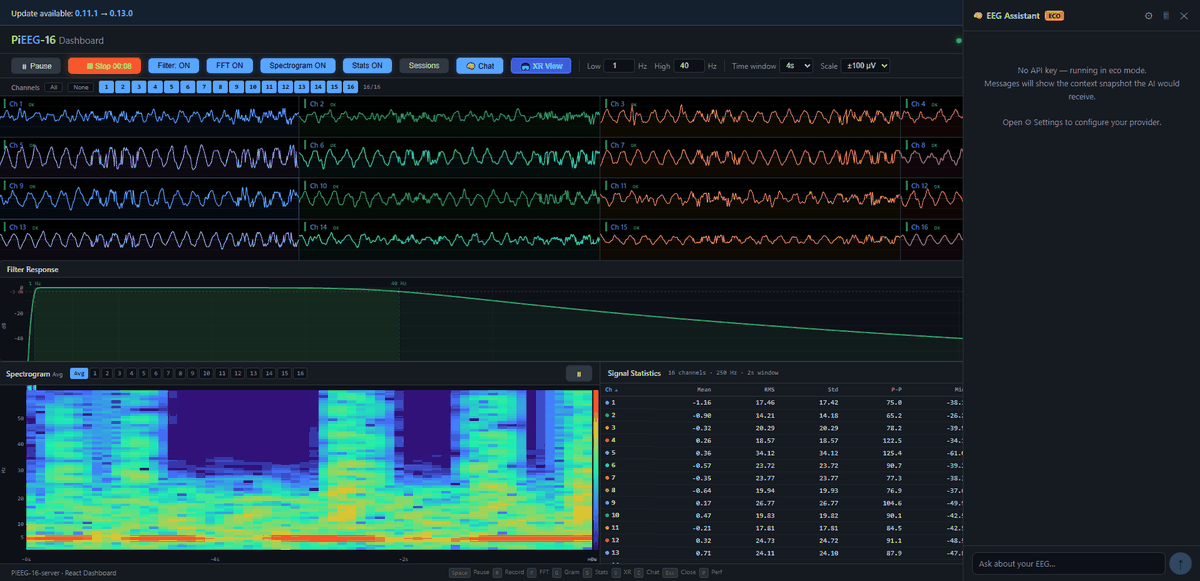
| Address | What it is |
|---|---|
http://localhost:1617 | Browser dashboard |
ws://localhost:1616 | WebSocket stream: JSON frames with 8 channels in µV |
Common options
pieeg-server --device ironbci8 --filter                 # 1–40 Hz band-pass
pieeg-server --device ironbci8 --record session.csv     # record while streaming
pieeg-server --device ironbci8 --lsl                    # Lab Streaming Layer outlet
pieeg-server --device ironbci8 --osc                    # VRChat OSC bridge
pieeg-server record session.csv --device ironbci8       # CSV only, no server
pieeg-server monitor --device ironbci8                  # live view in the terminal
More: Installation · Configuration · WebSocket API · LSL
Python SDK
Short scripts built on bleak (opens in a new tab) that show exactly how the BLE stream works.
Source: github.com/pieeg-club/ironbci/tree/master/SDK/BLE_General (opens in a new tab)
| Script | What it does |
|---|---|
1.Find_Device.py | Scan and print the device's Bluetooth address |
2.Read_data.py | Connect and print values in µV |
3.Read_data_graph.py | Live graph of all 8 channels |
4.Read_gpaph_Autoscale.py | Live graph with automatic scaling |
pip install bleak matplotlib numpy scipy
git clone https://github.com/pieeg-club/ironbci.git
cd ironbci/SDK/BLE_General
python 1.Find_Device.py
python 3.Read_data_graph.py
Minimal example
import asyncio
from bleak import BleakScanner, BleakClient

NAME = "EAREEG"
CHAR = "0000fe42-8e22-4541-9d4c-21edae82ed19"

def to_uv(b0, b1, b2):
    raw = (b0 << 16) | (b1 << 8) | b2
    if raw & 0x800000:
        raw -= 16777214
    return round(raw * 4.5 / 16777215 * 1e6, 2)

def on_data(_, data):
    print([to_uv(*data[3*i:3*i+3]) for i in range(8)])

async def main():
    dev = next(d for d in await BleakScanner.discover() if d.name == NAME)
    async with BleakClient(dev.address) as client:
        await client.start_notify(CHAR, on_data)
        await asyncio.sleep(10)          # stream for 10 seconds

asyncio.run(main())
On Linux you may need to run with Bluetooth permissions, and on macOS allow the terminal to use Bluetooth in System Settings → Privacy & Security.
JavaScript SDK
pieeg.js connects to IronBCI-8 straight from a web page, with filtering and band power built in. ironbci-8 is the default board.
const eeg = new PiEEG();
eeg.onBandPowers((p) => console.log('Alpha', p.Alpha));

button.addEventListener('click', async () => {   // must be a click handler
  await eeg.connectBLE();                          // IronBCI-8
});
More: JavaScript SDK.
Next
- Signals & Projects: sample recordings, datasets and a ChatGPT project
- Specification: BLE data format and µV conversion