How to Start
From the box to 32 live channels on your laptop, in seven steps.
Gather the parts
You need the IronBCI-32, a 5 V USB battery, two Micro USB cables (one a full data cable), a laptop running on battery, 32 electrodes with two ear clips, and a cap. See What's in the Box.
Unplug the laptop
Disconnect the laptop from its wall charger and run it on battery for the whole session. Close other programs that may use serial ports.
The data cable connects the laptop to the board and the electrodes. If the laptop is plugged into the wall, the person is connected to the mains. Laptop on battery only.
Connect the electrodes
Fit the cap and plug the electrodes into the four headers. The reference and bias ear clips go on the channel 1–8 connector.
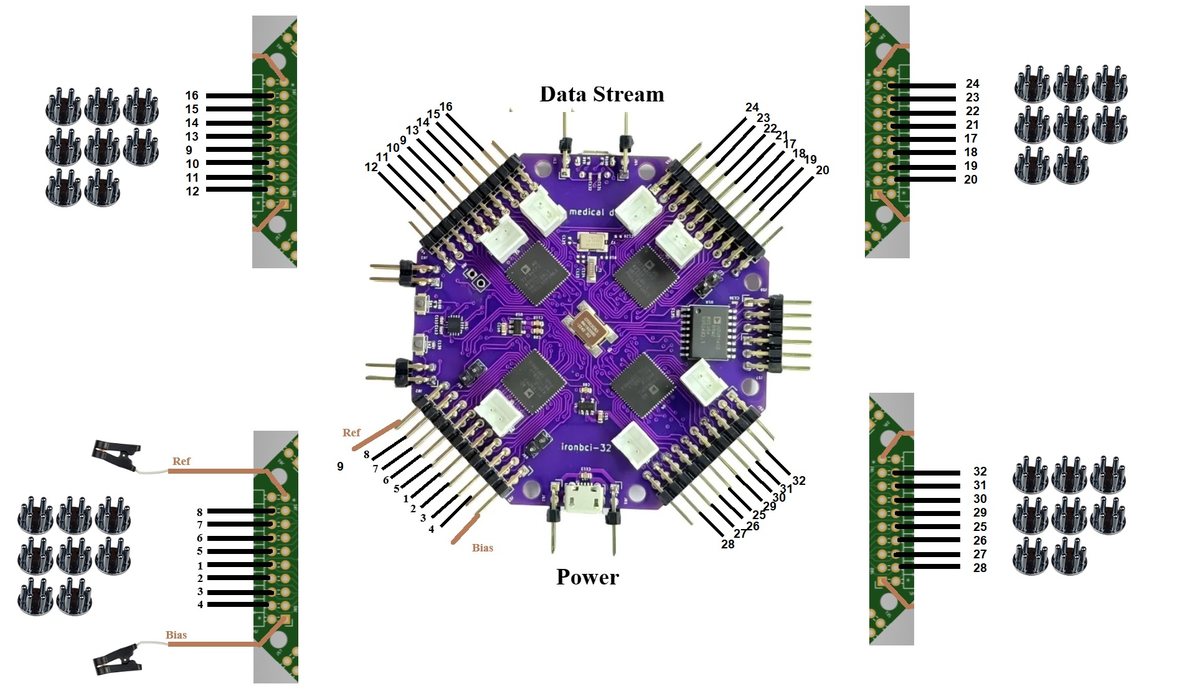
Each header has two rows. Electrodes go on the bottom row (closest to the board). The top row is the reference row: an electrode there is shorted to REF and shows a flat, dead channel. Full pinout: Electrodes & Pinout.
Connect the power cable
Plug the first Micro USB cable from the 5 V USB battery into the port marked Power. The board starts and begins streaming straight away. There is no on/off command.
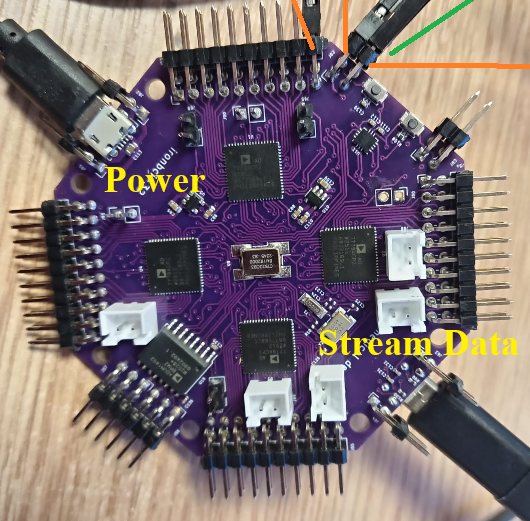
Connect the data cable
Plug the second Micro USB cable from the port marked Data Stream into a USB port on the laptop. The laptop sees IronBCI-32 as a serial port:
| System | How to find the port | Looks like |
|---|---|---|
| Windows | Device Manager → Ports (COM & LPT) | COM3, COM6… |
| Linux | ls /dev/ttyACM* | /dev/ttyACM0 |
| macOS | ls /dev/tty.usbmodem* | /dev/tty.usbmodem… |
Note the port name. You need it in the next step.
Start streaming
pip install "pieeg-server[ironbci32]"
pieeg-server --device ironbci32 --serial-port COM3            # Windows
pieeg-server --device ironbci32 --serial-port /dev/ttyACM0    # Linux / macOS
Then open http://localhost:1617 (opens in a new tab). You should see 32 channels.
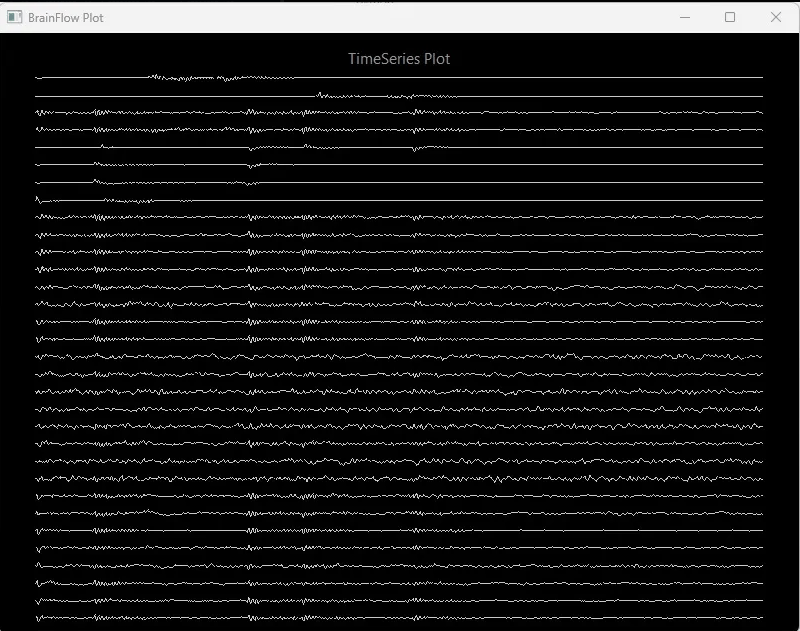
Check the signal
Sit still, relax the face and run these quick tests. If they behave as described, you are recording real biosignals.
| Test | What you should see |
|---|---|
| Sit still for 30 seconds | All channels settle. Flat lines mean an electrode on the wrong row or not touching the skin. |
| Close your eyes for 10 seconds | Alpha (8–13 Hz) rises on the back-of-head channels (O1, Oz, O2, P3, Pz, P4), then drops when the eyes open |
| Blink a few times | Large slow spikes on the front channels (Fp1, Fpz, Fp2) |
| Clench the jaw | Bursts of high-frequency noise, strongest on the side channels (T7, T8). That is muscle (EMG), not brain activity. |
Next steps
- Record:
pieeg-server record session.csv --device ironbci32 --serial-port COM3, or the BrainFlow save scripts. See Software. - Noisy signal? Work through Troubleshooting and Noise elimination.