How to Start
From the box to live EEG over Bluetooth, in seven steps.
Gather the parts
You need the IronBCI-8, a 200 mAh LiPo battery with a 2.0 mm JST connector, 8 electrodes with two ear clips, a cap, and a Bluetooth device to receive the data. See What's in the Box.
Connect the battery
The battery connector is on the underside of the board stack. Check the polarity, then plug the battery in.
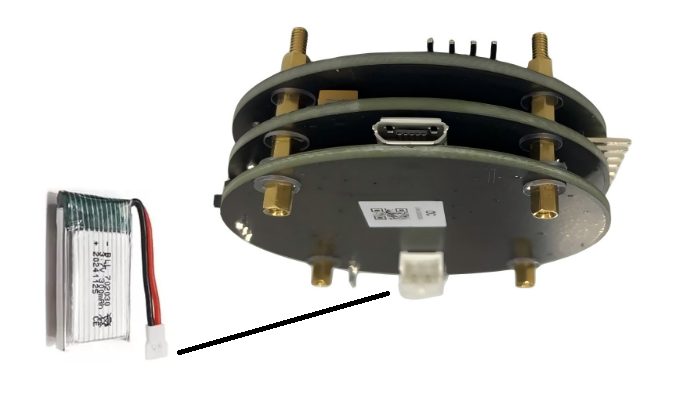
Some JST batteries have reversed polarity. Match the battery's black wire to GND on the board. A reversed battery will damage the device.
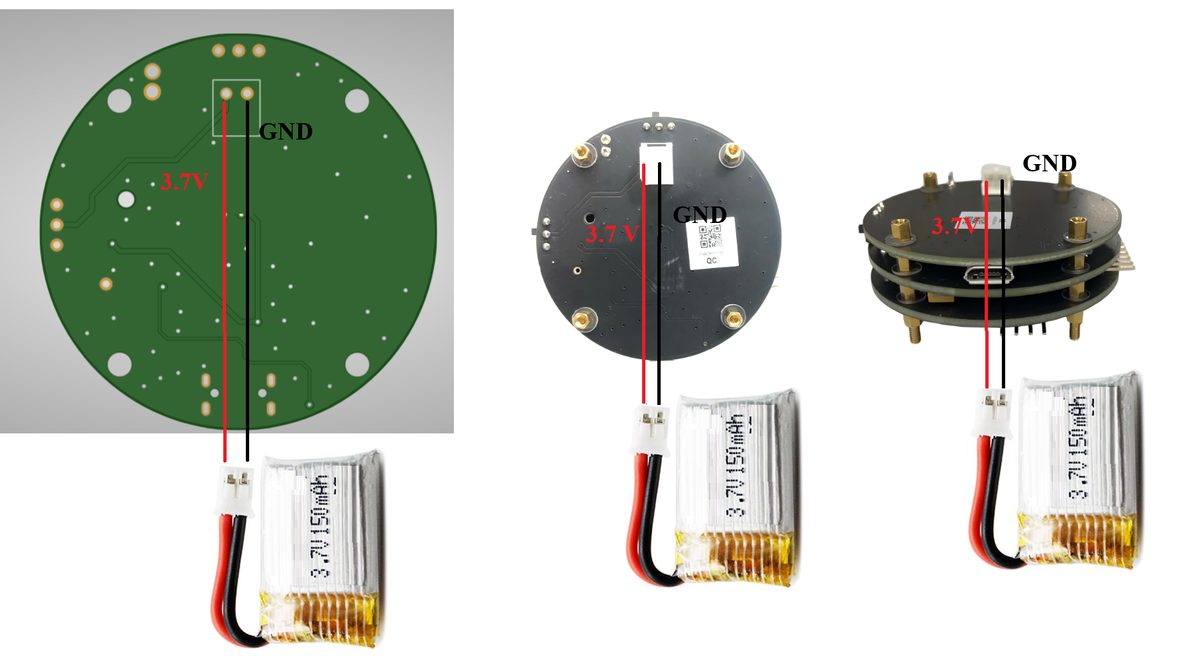
Charge the battery
- Set Switch 1 ON and Switch 2 OFF.
- Plug a Micro USB cable (5 V) into the charging port.
- LED 1 lights while charging. LED 2 lights when the battery is full.
- Unplug the USB cable before you go on.
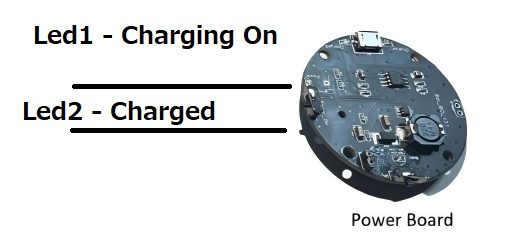
Never wear IronBCI-8 or record from a person while it is charging.
Connect the electrodes
| Connector | Electrode | Where it goes |
|---|---|---|
| Channels 1–8 | 8 EEG electrodes in the cap | Scalp positions of the 10-20 system |
| Reference | Ear-clip electrode | One earlobe |
| Bias | Ear-clip electrode | The other earlobe |
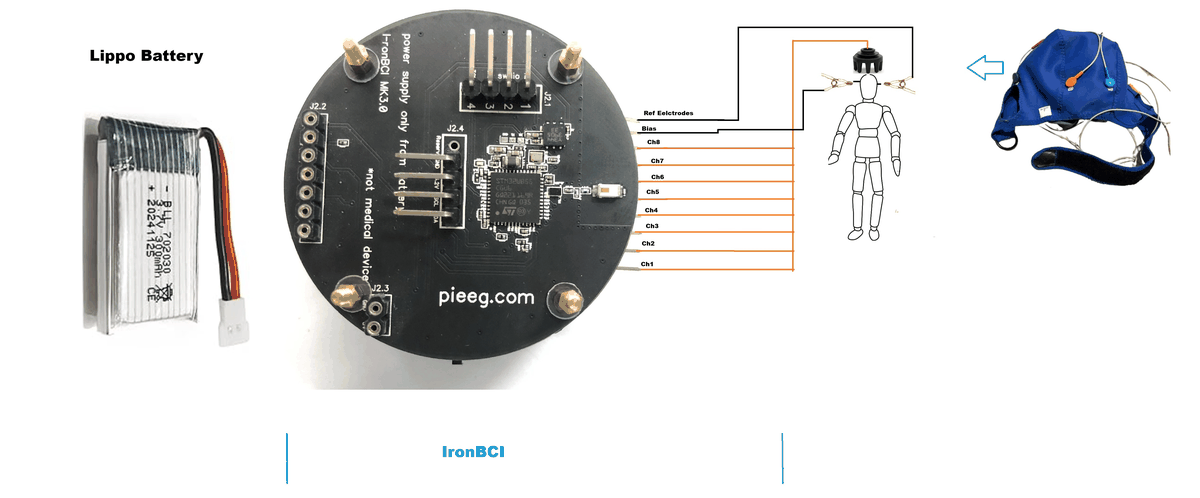
Full details and a suggested montage: Electrodes & Battery.
Switch on
Unplug the USB cable and set both switches ON. IronBCI-8 starts advertising over Bluetooth Low Energy and is ready to connect.
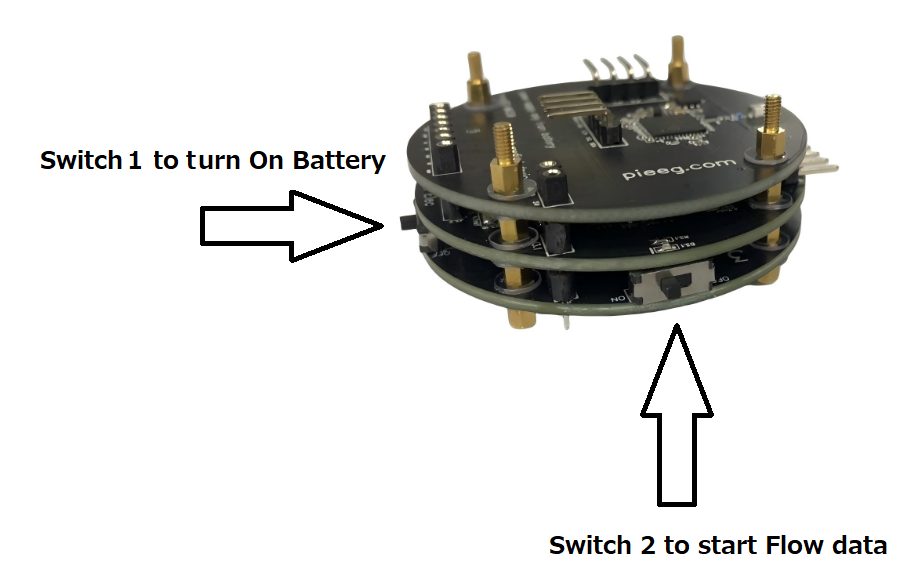
| Mode | Switch 1 | Switch 2 |
|---|---|---|
| Recording | ON | ON |
| Charging | ON | OFF |
Connect over Bluetooth
You don't need to pair it in your system's Bluetooth settings. The software finds and connects to it directly. It usually appears as EAREEG (some units show IronBCI).
- Open cloud.pieeg.com (opens in a new tab) in Chrome or Edge.
- In the Session Lobby, open the PiEEG Devices tab and choose IronBCI.
- Pick the device in the browser's Bluetooth window.
No install, and the data stays in your browser.
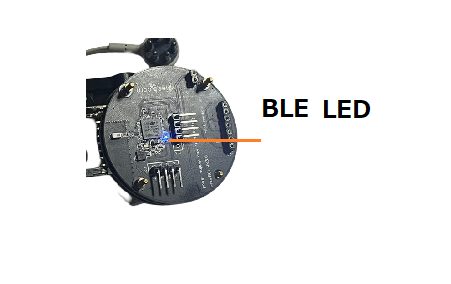
When the connection is made, the BLE LED turns on and 8 channels stream at 250 samples per second.
Check the signal
Sit still, relax the face and run these quick tests. If they behave as described, you are recording real biosignals.
| Test | What you should see |
|---|---|
| Sit still for 30 seconds | All 8 channels settle. Flat lines or huge values mean a loose electrode. |
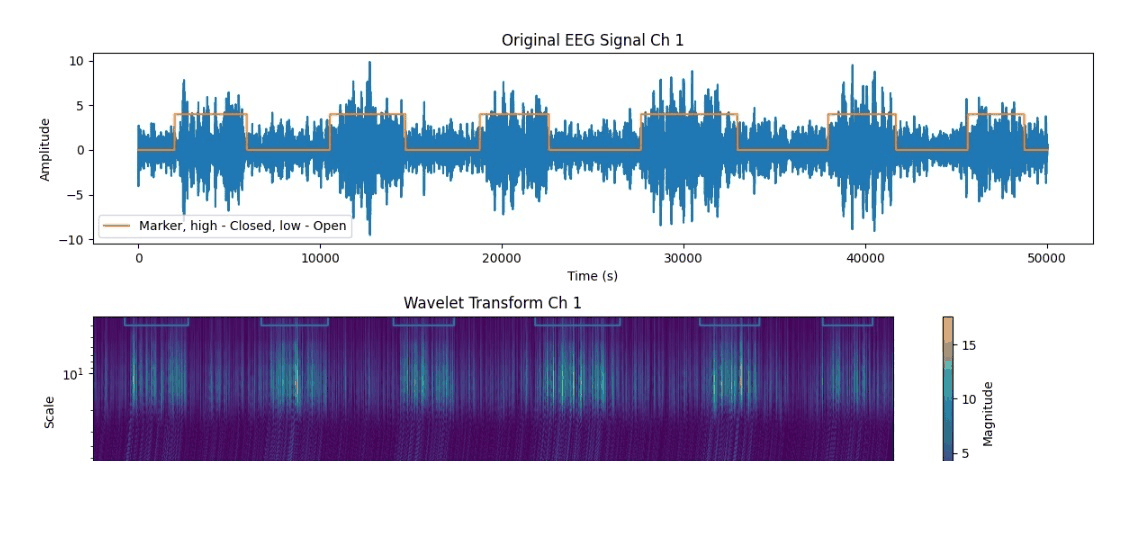
| Close your eyes for 10 seconds | Alpha (8–13 Hz) rises on the back-of-head channels, then drops when the eyes open |
| Blink a few times | Large slow spikes on the front channels |
| Clench the jaw | Bursts of high-frequency noise on all channels. That is muscle (EMG), not brain activity. |
Next steps
- Stream to your code: WebSocket, LSL, OSC, Python and JavaScript. See Software.
- Noisy signal? Work through Troubleshooting and Noise elimination.