Electrodes & Battery
Electrode connections
IronBCI-8 has three kinds of electrode inputs.
| Input | Count | Electrode | Purpose |
|---|---|---|---|
| Channels 1–8 | 8 | Dry or wet Ag/AgCl, in the cap | Each channel measures the voltage between its electrode and the reference |
| Reference | 1 | Ear clip on one earlobe | The common 0 µV point that all 8 channels are measured against |
| Bias | 1 | Ear clip on the other earlobe | Actively drives the body to cancel common-mode noise such as 50/60 Hz mains hum |
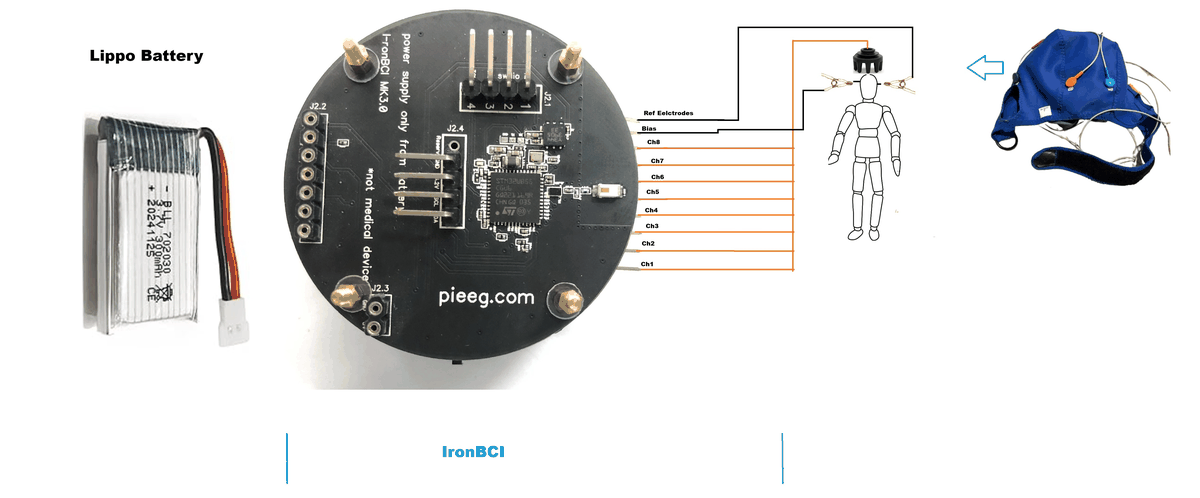
The electrode header is a standard 2.54 mm pin header, so most EEG cables with 2.54 mm (0.1") female connectors fit. Check the pitch before using a third-party cap. See Cap.
The reference and bias clips matter most. A loose ear clip makes every channel noisy at once. Clean the earlobes and make sure both clips sit firmly before you look at anything else.
Suggested montage
These are the 8 positions used for the dry-electrode tests in the IronBCI paper. They spread across the front, centre, sides and back of the head.
| Position | Area | Good for |
|---|---|---|
| F7, F8 | Front left and right, side | Eye movement, frontal activity |
| Fz | Front centre | Blinks, attention |
| C3, C4 | Centre left and right | Motor activity (hands) |
| T5, T6 | Back left and right, side | Temporal activity |
| Pz | Back centre, top | Alpha rhythm |
Assign them to channels 1–8 in any order, and keep a note of which channel went where, because the software only knows channel numbers.
Fitting the cap
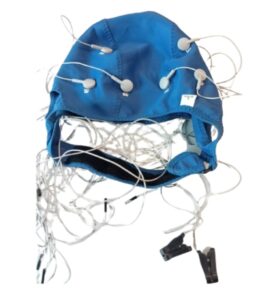
- Measure the head and pick the right cap size, or adjust the 3D-printed headset.
- Find Cz (halfway between nose and the back of the head, halfway between the ears) and align the cap with it.
- Dry electrodes: part the hair under each electrode so it touches the scalp.
- Wet electrodes: inject a small amount of conductive gel under each electrode and work it through the hair with the blunt syringe tip.
- Attach the ear clips to clean earlobes.
- Keep the IronBCI-8 close to the head, with short electrode leads.
Battery
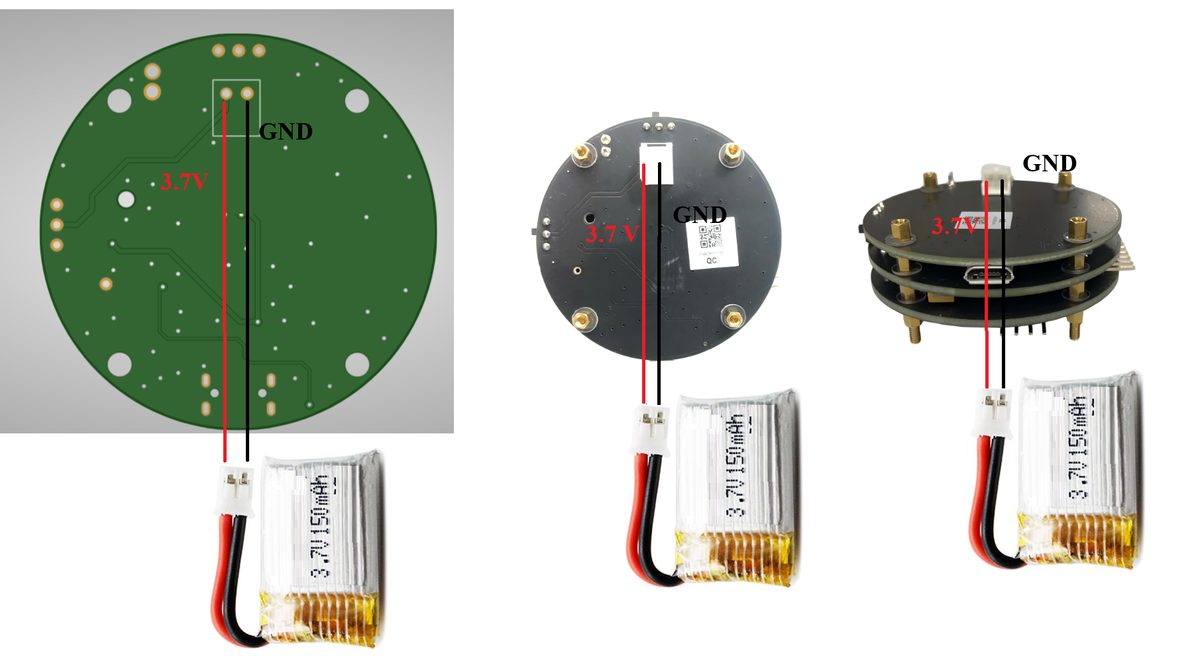
| Type | Single-cell LiPo |
| Capacity | 200 mAh recommended |
| Connector | 2.0 mm JST, on the underside of the board stack |
| Charging | Micro USB, 5 V, on the power board |
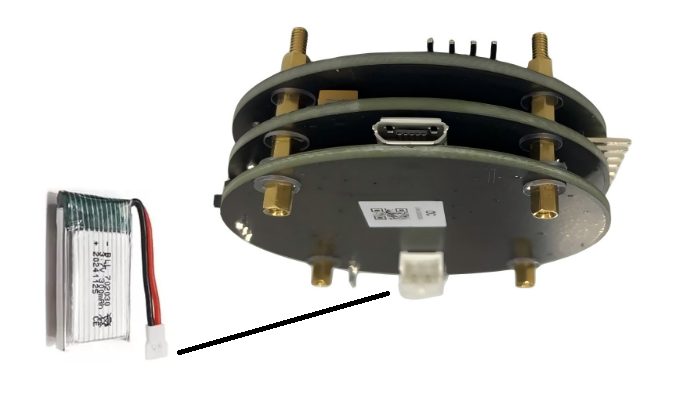
Check the polarity every time you use a new battery. JST batteries are not all wired the same way. Match the black wire to GND on the board. Reversed polarity will damage the device.
Switches
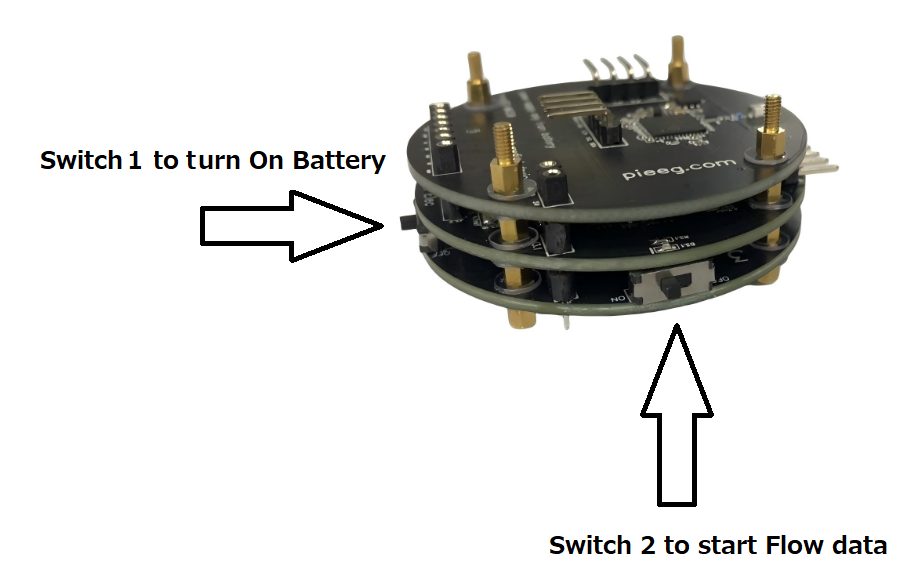
| Mode | Switch 1 (battery) | Switch 2 (data) |
|---|---|---|
| Recording | ON | ON |
| Charging | ON | OFF |
| Off / storage | OFF | OFF |
LEDs
| LED | Meaning |
|---|---|
| LED 1 (power board) | Charging |
| LED 2 (power board) | Battery fully charged |
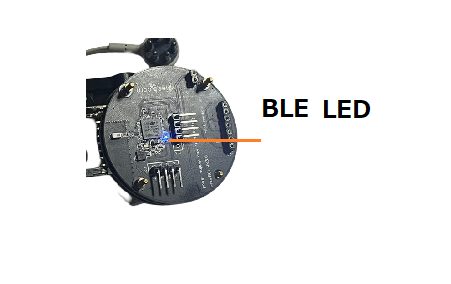
| BLE LED | On when a Bluetooth connection is active |