Signals & Datasets
What real PiEEG-16 recordings look like, open data to practise with, and a first machine-learning project. All recordings below were made with dry electrodes, no gel, at 250 samples per second.
Example signals
EEG: alpha test
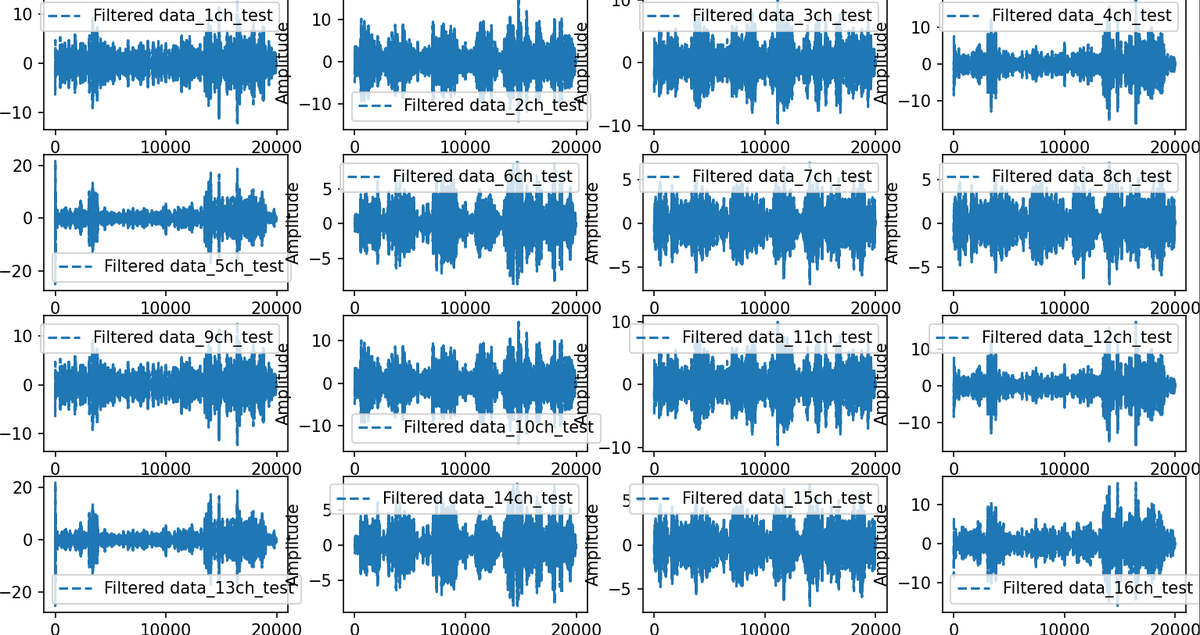
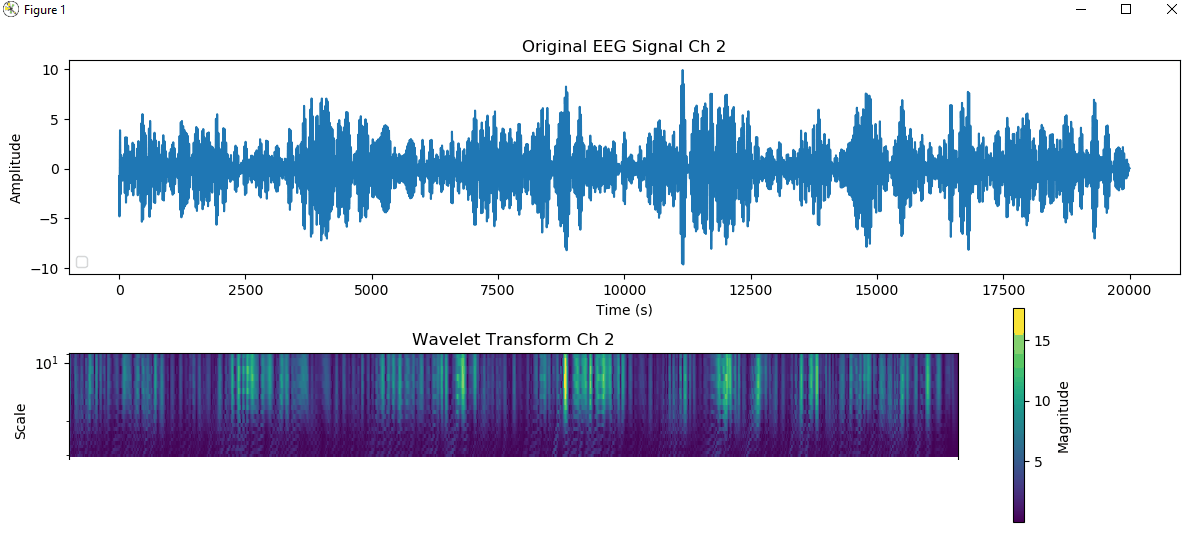
Eyes closed for 5 seconds, open for 5 seconds, repeated. The signal is band-pass filtered to 8–12 Hz, so the alpha rhythm shows up as bursts of larger amplitude while the eyes are closed. Dataset: 3.Alpha_test.xlsx (opens in a new tab).
The same test with a wavelet transform. The bright bands in the lower plot are the eyes-closed periods.
EEG: chewing and blinking artifacts
Chewing 4, 3, 2 and 1 times, then blinking 4, 3, 2 and 1 times. The signal is band-pass filtered to 1–40 Hz. These large spikes come from muscles and eye movement, not the brain. Dataset: 2.Chewing_Blinking.xlsx (opens in a new tab).
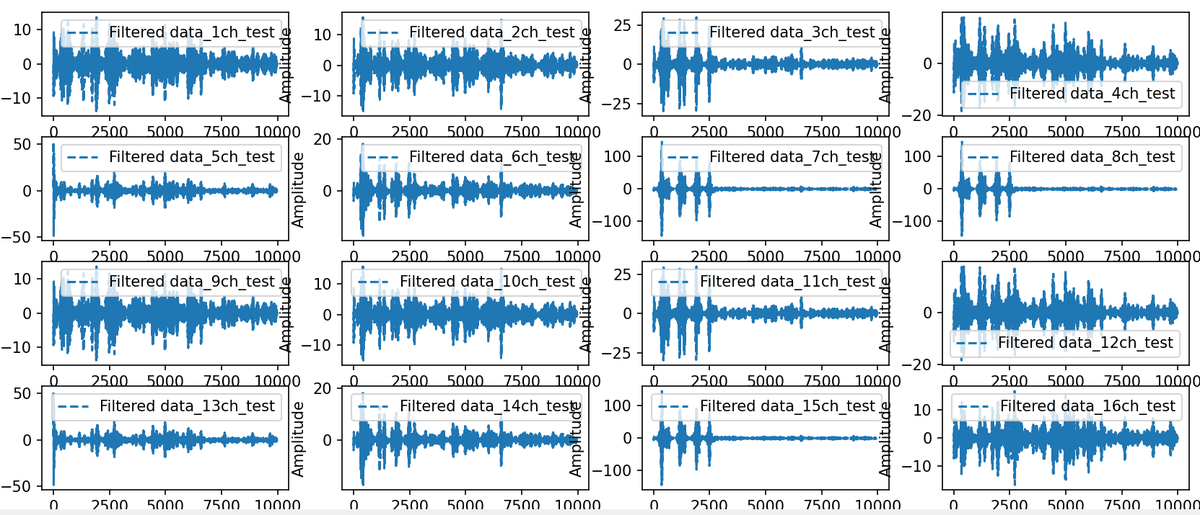
Learn to recognise artifacts before you analyse anything. Remove or mark them before computing band power or training a model.
Datasets
All datasets are in the Dataset (opens in a new tab) folder of the PiEEG-16 repository. Raw data in µV, 16 channels, 250 SPS, dry Ag/AgCl electrodes without gel.
| File | Content | Length |
|---|---|---|
1.Chewing_Blinking.xlsx | Chewing 4-3-2-1 times, then blinking 4-3-2-1 times | 10,000 samples (40 s) |
2.Chewing_Blinking.xlsx | A second recording of the same test | 10,000 samples (40 s) |
3.Alpha_test.xlsx | Eyes closed for 5 seconds, open for 5 seconds, repeated | 20,000 samples (80 s) |
To plot them, use the scripts in Save_data/dataset_visualisation (opens in a new tab). To clean SPI glitch spikes from your own recordings, use Dataset/Remove_Spikes.py (opens in a new tab).
Machine learning: stress detection
A complete beginner pipeline in ML_Application (opens in a new tab): record, turn raw EEG into alpha power, then train a classifier.
| Step | Script | What it does |
|---|---|---|
| 1. Collect | 1.Save_Data.py | Record raw 16-channel EEG to Excel. Aim for about 50 recordings of 1 minute or more for each condition (for example, stress and no stress). |
| 2. Extract features | 2.Convert_to_Power_Alpha.py | Convert each recording to alpha-band power, in 1-second windows. You can do the same for beta, delta and theta. |
| 3. Prepare | Combine the recordings into one file per condition, and add a column with the recording (or subject) number. | |
| 4. Train | 3.ML.py | Train and test a classifier on the two conditions. |
Each recording is saved with one column per channel:

This is a learning example. A classifier trained on a few recordings is not a validated measure of stress, emotion or health.
Community projects
- Home brain health station: Raspberry Pi 5 + PiEEG with a built-in screen and power bank. A Python script computes alpha-band power and sends it to an LLM chatbot (OpenClaw) for feedback. Experimental. Video (opens in a new tab)
- Share your own: add a folder with a README and pictures to
User_Projects(opens in a new tab). PiEEG promotes community projects across its channels.