PiEEG Studio
MNE-Python EEG analysis & MOABB BCI benchmark suite — in the browser on PiEEG Cloud or 100% locally
PiEEG-server and cloud.pieeg.com are built for real-time streaming, live dashboards, games, and BCI experiences. PiEEG Studio is their MNE-Python analysis companion: open it directly in your browser on PiEEG Cloud (cloud.pieeg.com) with zero local installation, or run the Community Edition locally (http://127.0.0.1:1618) on your machine.
Drop in a pieeg_YYYYMMDD_HHMMSS.csv recording, open any saved cloud session from Saved Sessions, or send a freshly captured in-memory browser recording straight from the playback toolbar (Studio ↗) to clean signals with research-grade filters, remove ocular artefacts with ICA, benchmark BCI decoders with MOABB, and explore spectra, topomaps, time–frequency, ERPs, and connectivity. Any analysis you configure in the UI can be exported as a standalone MNE Python script or Jupyter notebook.
Browser Cloud Preview (pieeg-studio.fly.dev) vs. Local Community Edition (127.0.0.1:1618): On cloud.pieeg.com (opens in a new tab), clicking Studio or Studio ↗ automatically checks whether you have pieeg-studio running locally on http://127.0.0.1:1618. If it is running, your browser routes directly to your local instance for unlimited file sizes, 150+ online MOABB datasets, and native Qt desktop MNE windows; otherwise it opens the hosted Cloud Preview in an isolated per-browser session (X-Studio-Session).
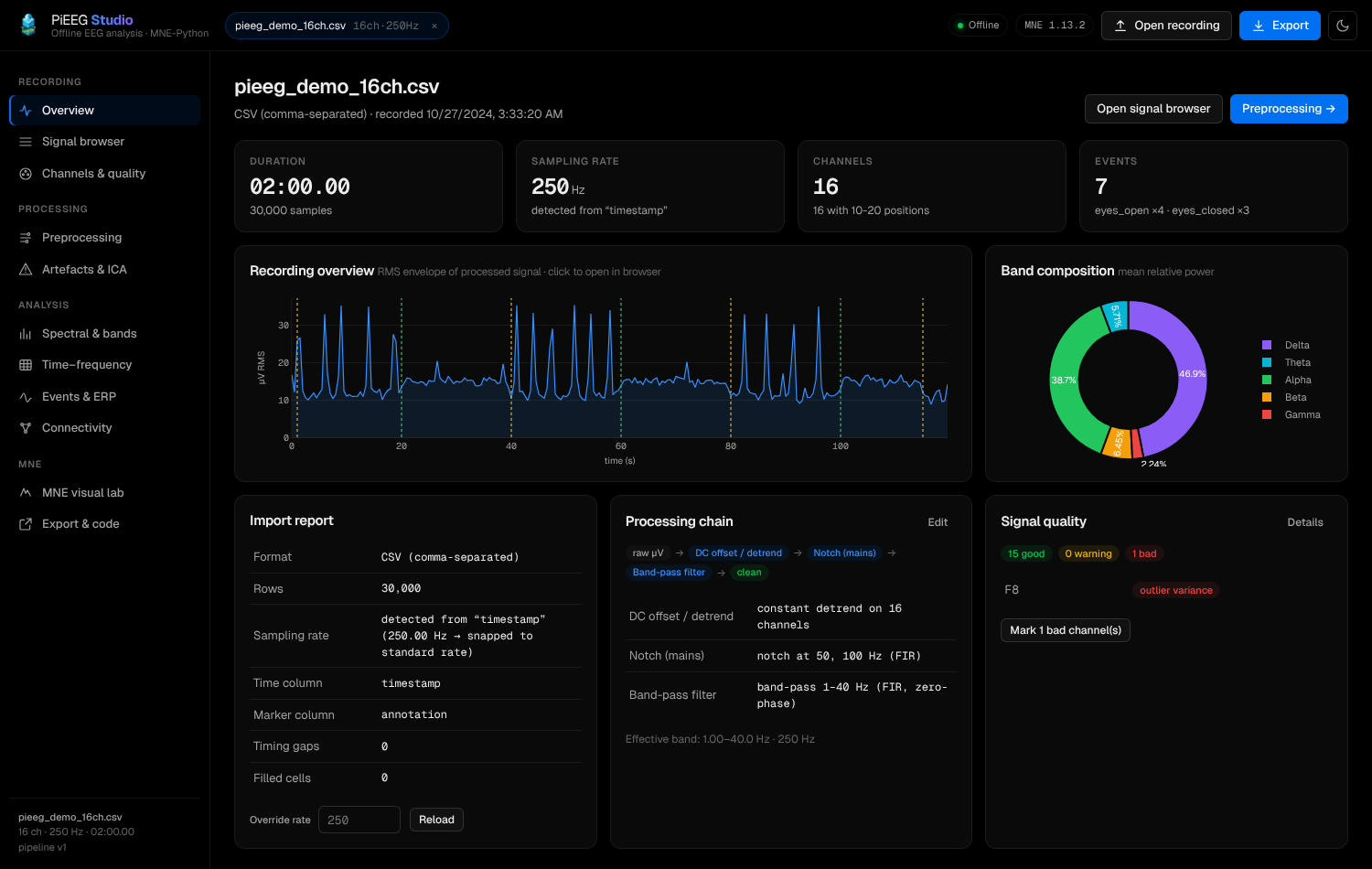
| PiEEG-server / Cloud Live | PiEEG Studio (Cloud Preview) | PiEEG Studio (Local CLI) | |
|---|---|---|---|
| Purpose | Acquisition, live streaming, BCI | Zero-install browser MNE analysis & MOABB | Offline analysis, large files & desktop Qt |
| Needs hardware | Yes (or --mock / demo) | No | No |
| Where it runs | Browser (cloud.pieeg.com) or LAN (1616/1617) | Hosted (pieeg-studio.fly.dev, isolated ps-sid) | 100% offline (http://127.0.0.1:1618) |
| Input | ADS1299 over SPI / BLE / USB | Cloud sessions, in-memory browser blobs, CSV, Excel, EDF, BDF, FIF, BrainVision, EEGLAB (≤ 25 MB) | recordings/*.csv, Cloud sessions, Excel, EDF, BDF, FIF, BrainVision, EEGLAB (unlimited) |
| Engine | Web Worker DSP / NumPy / SciPy | MNE-Python + SciPy + scikit-learn + MOABB | MNE-Python + SciPy + scikit-learn + MOABB + Qt |
Launch in Browser or Install Locally
Option 1 — Instant Browser Launch (Zero Install)
On cloud.pieeg.com (opens in a new tab) (or directly at pieeg-studio.fly.dev (opens in a new tab)):
- Session Lobby header: Click Studio (or More → PiEEG Studio) to open a blank Studio workspace, drop a local file, or load the 16-channel synthetic demo recording.
- Saved Sessions: Click Studio ↗ next to any saved cloud session to load its CSV and cloud event annotations directly into MNE.
- Unsaved Browser Recordings (
SessionViewer): Click Studio ↗ in the playback toolbar right after recording in the browser — your in-memory CSV blob and frame markers are uploaded directly to your isolated Studio session without needing to publish first.
See PiEEG Studio on PiEEG Cloud for details on per-browser session isolation (ps-sid), 15-minute idle cleanup, and self-hosting on Fly.io.
Option 2 — Local Community Edition (CLI)
Install the studio extra on top of pieeg-server (add studio-moabb for 150+ online NeuroTechX MOABB datasets):
pip install "pieeg-server[studio]"

# Optional: 150+ online MOABB datasets + Riemannian geometry
pip install "pieeg-server[studio,studio-moabb]"

# Optional: fast native Qt desktop browser for interactive raw.plot()
pip install "pieeg-server[studio-qt]"
You can launch the local Community Edition in three ways:
# 1. Standalone CLI (opens http://127.0.0.1:1618)
pieeg-studio
pieeg-studio recordings/pieeg_20260101_120000.csv   # preload a file

# 2. Via pieeg-server subcommand
pieeg-server studio

# 3. Alongside the live server & dashboard (runs in a separate child process on port 1618)
pieeg-server --mock --studio
One-click from the Dashboard: In both the local PiEEG Dashboard (http://localhost:1617) and cloud.pieeg.com (opens in a new tab), open Saved Sessions and click Studio ↗ next to any recording (or in the playback toolbar). If pieeg-studio is running on 127.0.0.1:1618, it opens locally; otherwise it launches the local child process or the browser Cloud Preview automatically.
Features
Smart Import for PiEEG Recordings
- Server recordings auto-discovery: Automatically lists files in
recordings/and merges.annotations.json/_session.jsonsidecar markers into MNE annotations. - PiEEG CSVs & Excel: Supports raw
timestamp, ch1…chN(µV), annotated exports (frame, time_s, ch…, annotation),.xlsx/.xls/.xlsm/.ods, and European CSVs (;separator,,decimal). - Automatic rate & montage detection: Detects sampling rate from timestamps and snaps to standard ADS1299 rates (
250,500,1000,2000,4000Hz), flags timing gaps, interpolates missing cells, and mapsch1…chNto the standard PiEEG-8 / PiEEG-16 / IronBCI-32 10–20 scalp montage. - Standard neuro formats: Reads
.edf,.bdf,.gdf,.fif,.vhdr(BrainVision), and.set(EEGLAB) directly through MNE.
Reproducible Preprocessing Pipeline
| Step | Details |
|---|---|
| DC offset / detrend | Removes the ADS1299 DC offset (constant) or linear drift per channel |
| Spike removal (Hampel) | Offline centered Hampel filter — same algorithm as pieeg-server |
| Notch | 50 / 60 Hz (auto-detected from spectrum) + harmonics, FIR or IIR |
| Band-pass | FIR (Hamming/Hann/Blackman, linear phase) or IIR Butterworth/Chebyshev/Elliptic/Bessel, zero-phase or causal |
| Interpolate bads | Spherical-spline interpolation of bad channels from neighbours |
| Re-reference | Common average reference (CAR) or custom reference channels (e.g. linked mastoids) |
| Resample | Anti-aliased resampling |
| Crop | Keep a specific [tmin, tmax] window |
| ICA | Removes excluded independent components |
Steps can be reordered, toggled, and tuned live with before/after PSD comparison, filter frequency/impulse response (mne.viz.plot_filter), and saveable JSON presets.
Analysis Views
- Signal browser: Multi-channel viewer with min/max envelope decimation, raw/processed overlay, keyboard navigation, and click-to-annotate.
- Channels & quality: Per-channel std, peak-to-peak, RMS, mains noise %, kurtosis, and Hjorth parameters (activity, mobility, complexity) with automatic flat/noisy/outlier flagging.
- Artefacts & ICA: Automatic blink detection (frontal EOG proxy), amplitude (
BAD_peak), and muscle (BAD_muscle) detectors; FastICA / Extended Infomax / Picard decomposition with automatic ocular component suggestions, component topographies, properties, and overlay views. - Spectral & bands: Welch / multitaper PSD; absolute & relative band powers ($\delta, \theta, \alpha, \beta, \gamma$); band-power ratios ($\theta/\beta$, $\alpha/\theta$, $\beta/(\alpha+\theta)$); individual alpha frequency (IAF); SEF95; spectral entropy; aperiodic $1/f$ slope; frontal alpha asymmetry ($\ln R - \ln L$); and MNE topomaps.
- Time–frequency: Per-channel spectrogram and whole-session band-power timeline.
- Events & ERP: Epoching around annotations or fixed windows, baseline correction, peak-to-peak rejection, condition averages $\pm$ SEM, GFP,
evoked.plot_joint, andepochs.plot_image. - Connectivity: Coherence, PLV, wPLI, and band-limited correlation rendered as an adjacency matrix and circular chord diagram.
- BCI & MOABB Benchmark Lab: Standardized BCI paradigm epoching (Motor Imagery / ERD, P300 / ERP, SSVEP), built-in synthetic and online NeuroTechX MOABB (opens in a new tab) datasets in an isolated
moabb_data/directory, and 7 decoding pipelines (CSP + LDA,CSP + SVM,Riemannian TS + LR,Riemannian MDM,LogVar + LDA,BandPower + RF,ERP-Xdawn + LDA) with Stratified K-Fold / Cross-Session evaluation, confusion matrices, MNE CSP spatial pattern topomaps, and standalonepieeg_moabb_benchmark.pyexport.
MNE Visual Lab & Exports
- MNE Visual Lab: Renders native MNE figures (
raw.plot,compute_psd().plot,plot_sensors,plot_topomap,plot_filter,ica.plot_components) and can launch interactive desktop MNE windows (Qtormatplotlib) on your machine. - Export formats:
.xlsxmulti-sheet workbook (Info,Data,Band powers,Statistics,Annotations,Pipeline).csv(processed or raw).fif(native MNE Raw with montage, bads, and annotations).edf(European Data Format).html(mne.Reportself-contained report).py&.ipynb(standalone MNE Python script and Jupyter notebook that reproduce the exact pipeline and plots).json(extracted band powers, ratios, and quality features for ML)
Screenshots
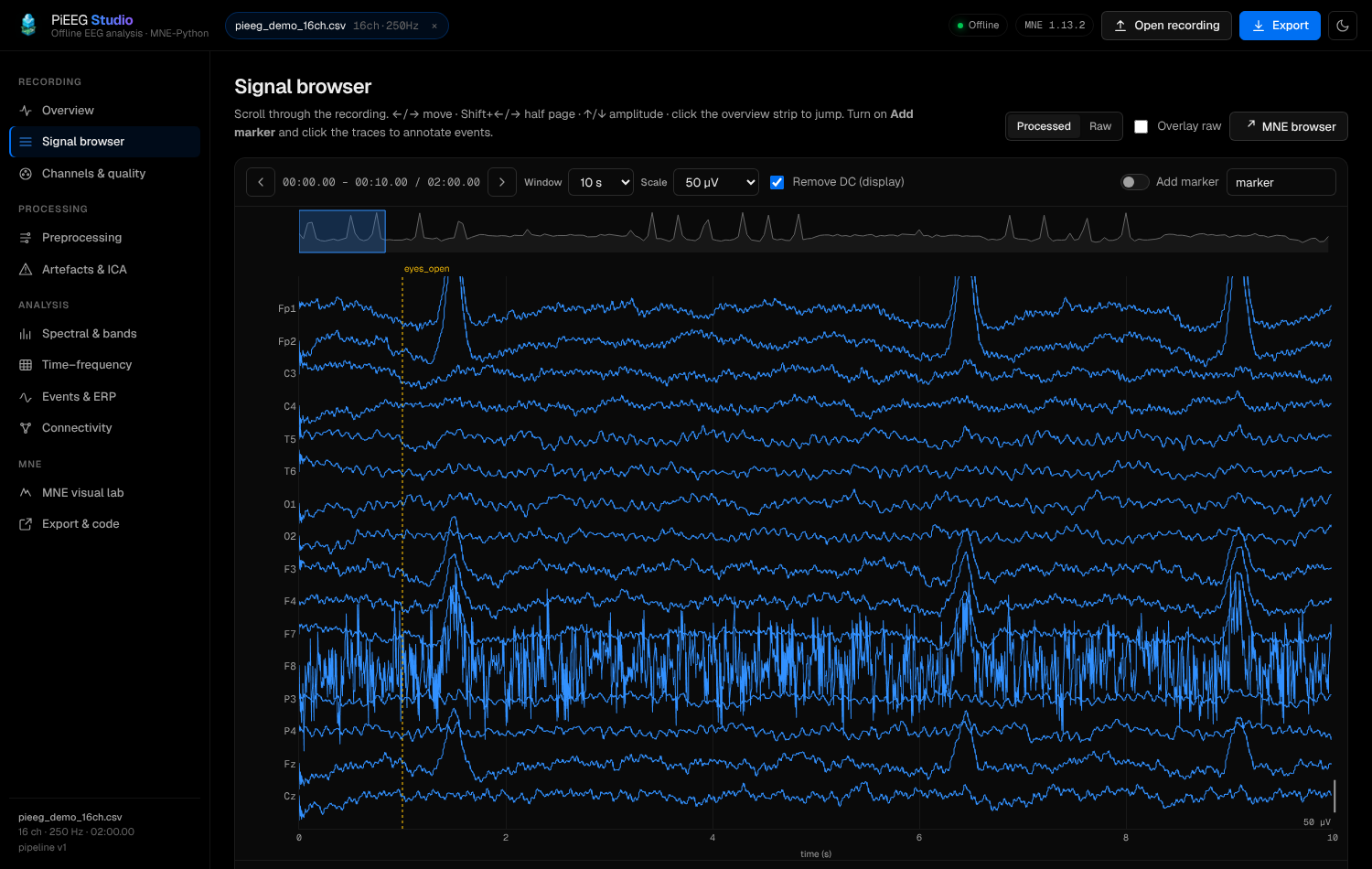 Signal browser | 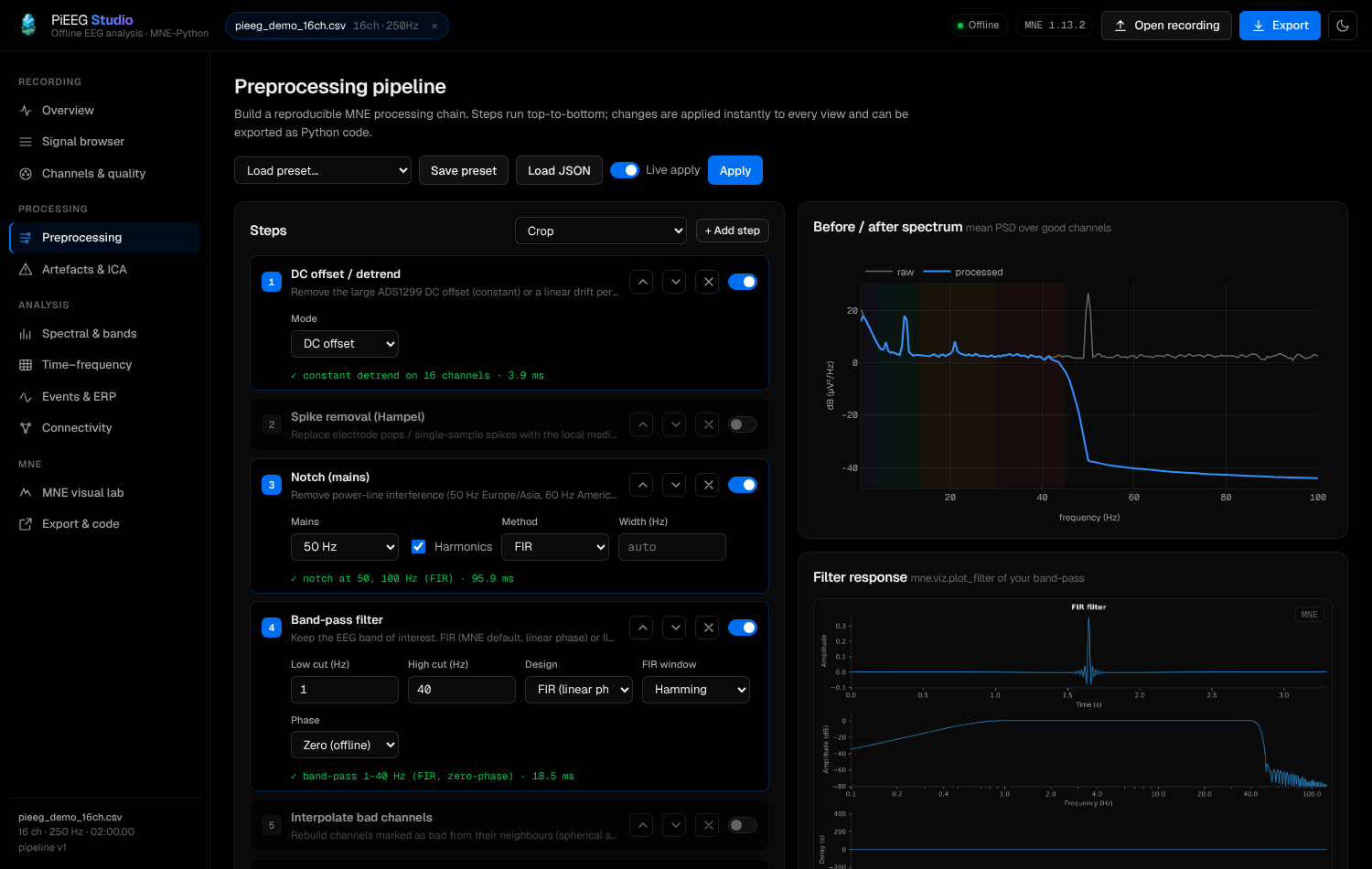 Preprocessing |
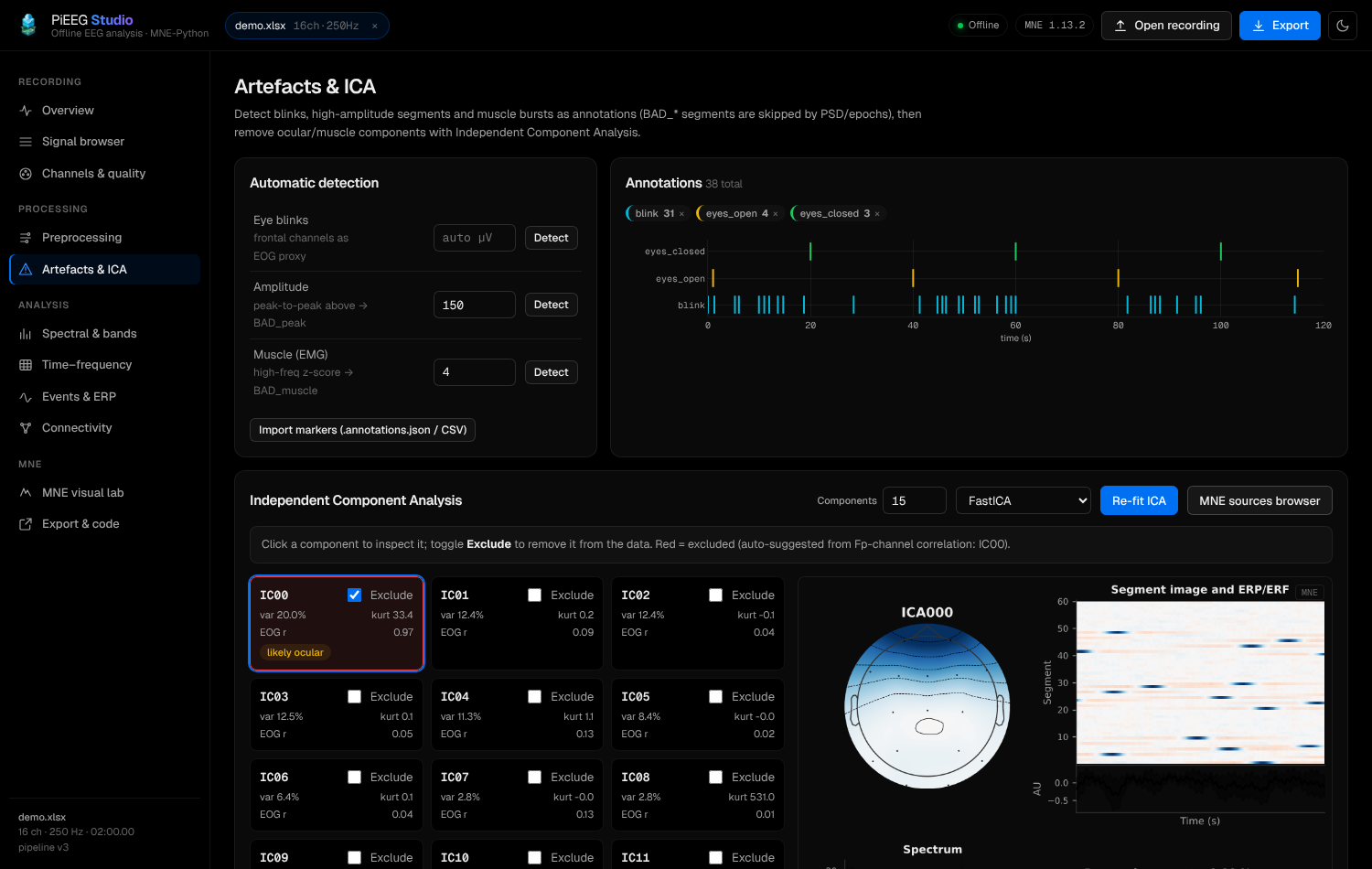 Artefacts & ICA | 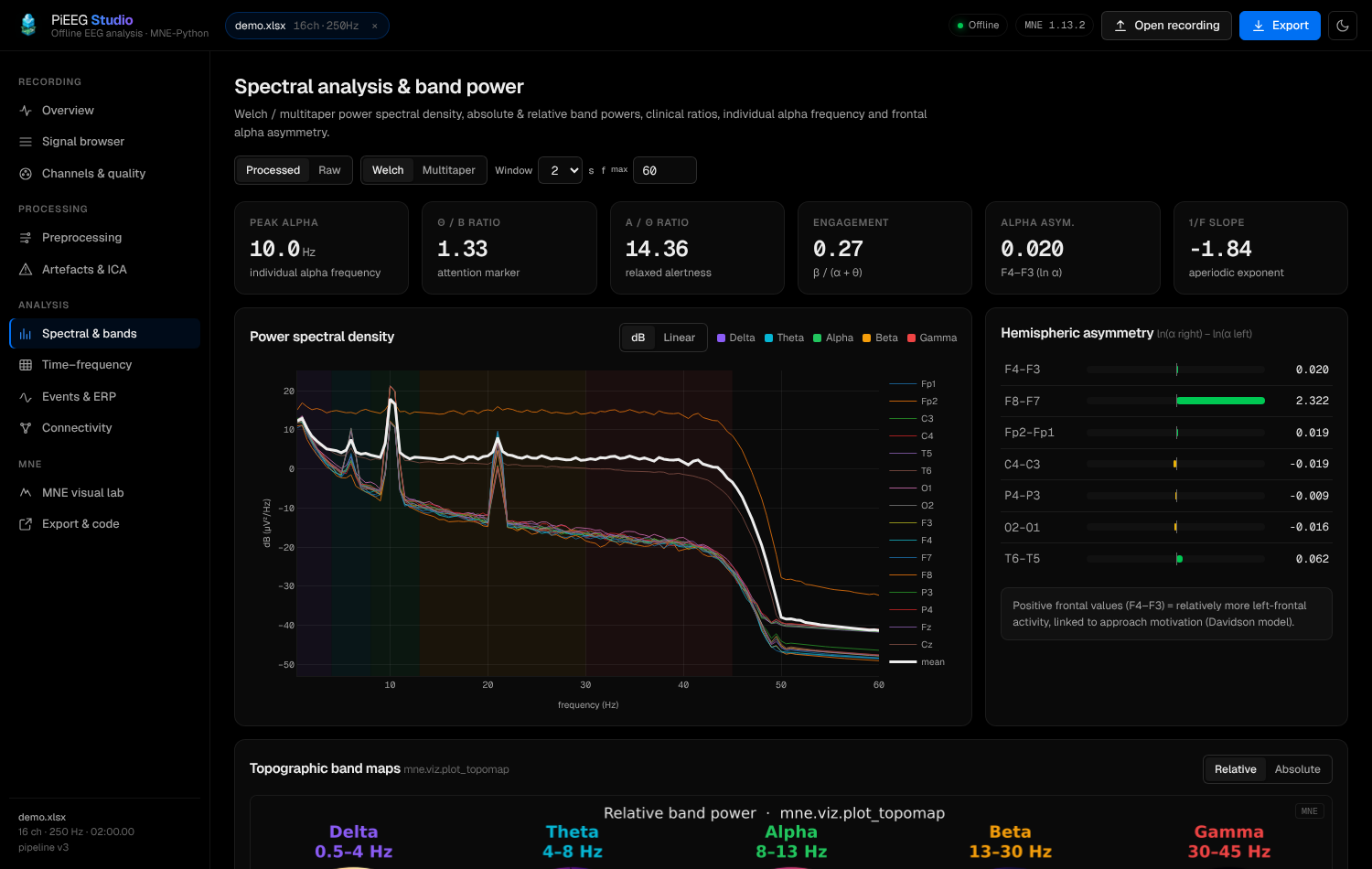 Spectral & bands |
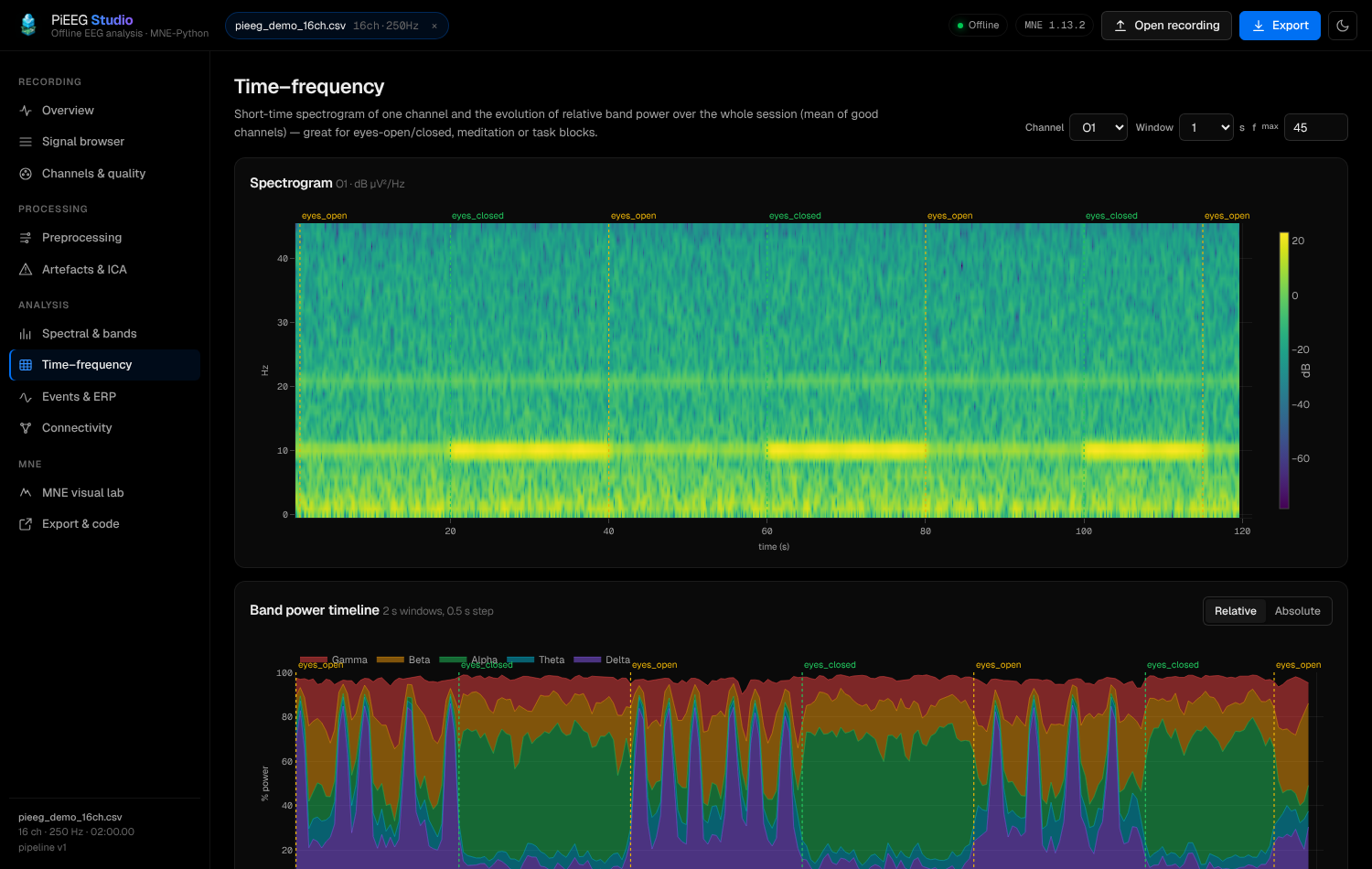 Time–frequency | 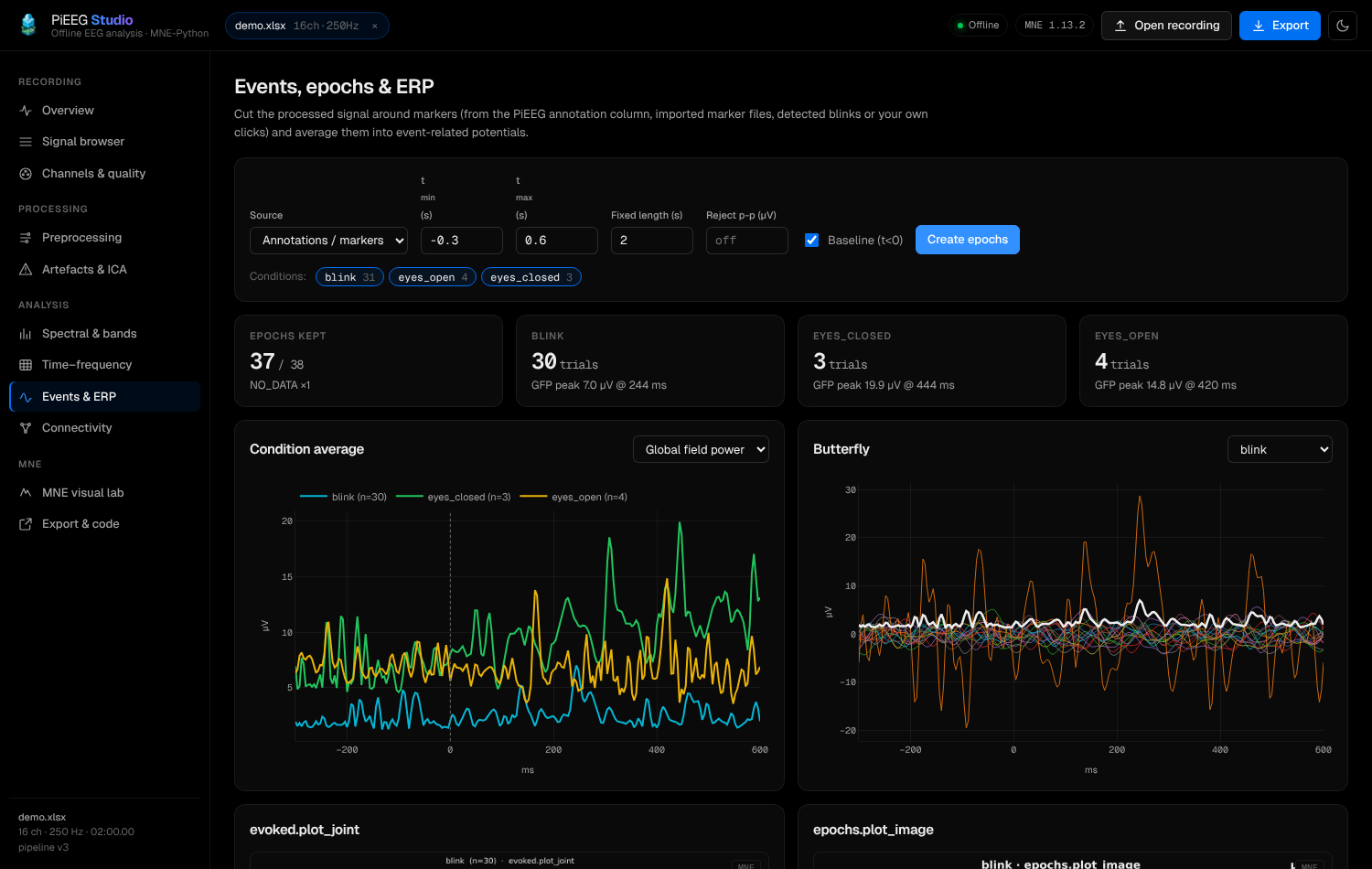 Events & ERP |
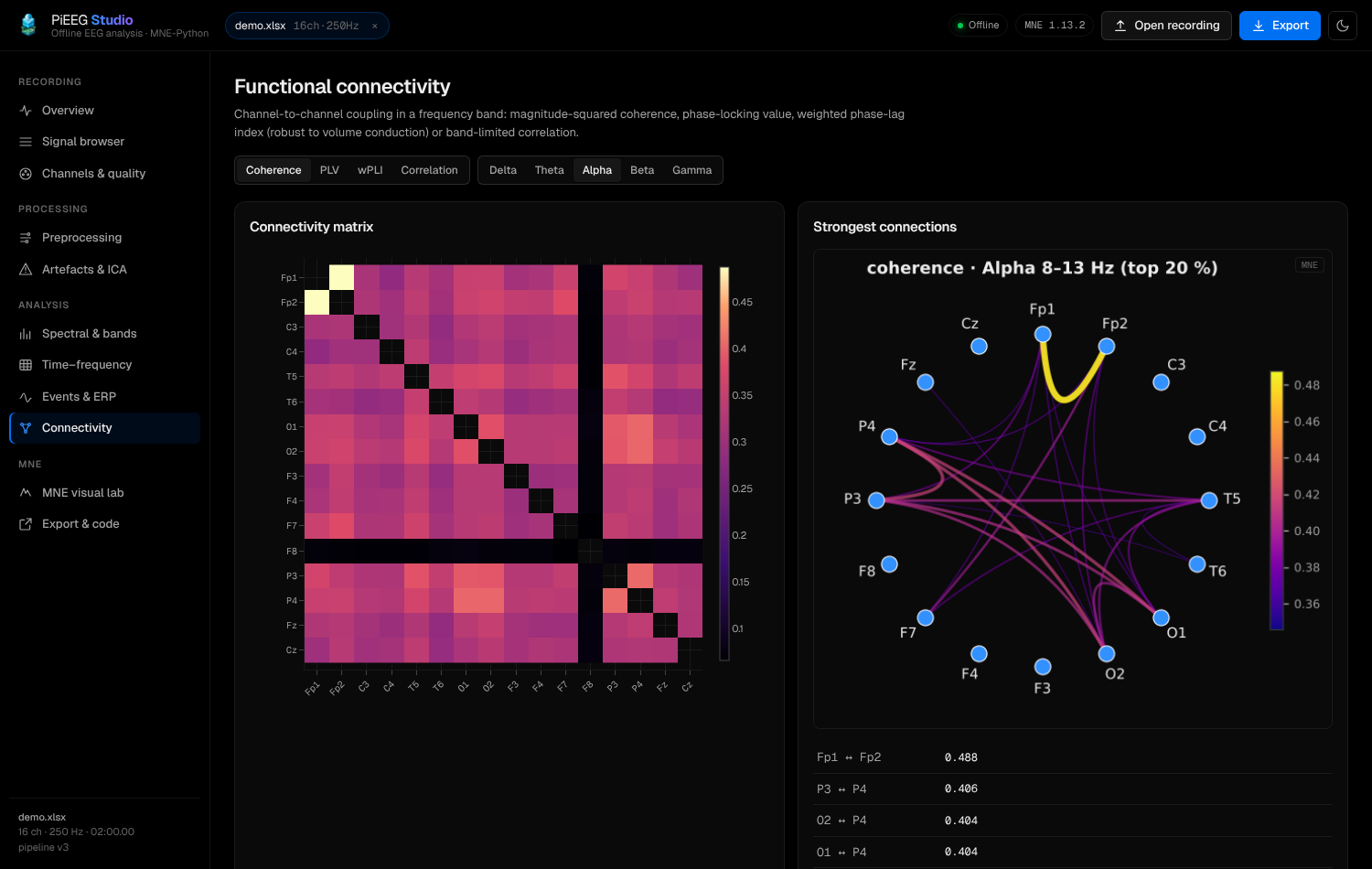 Connectivity | 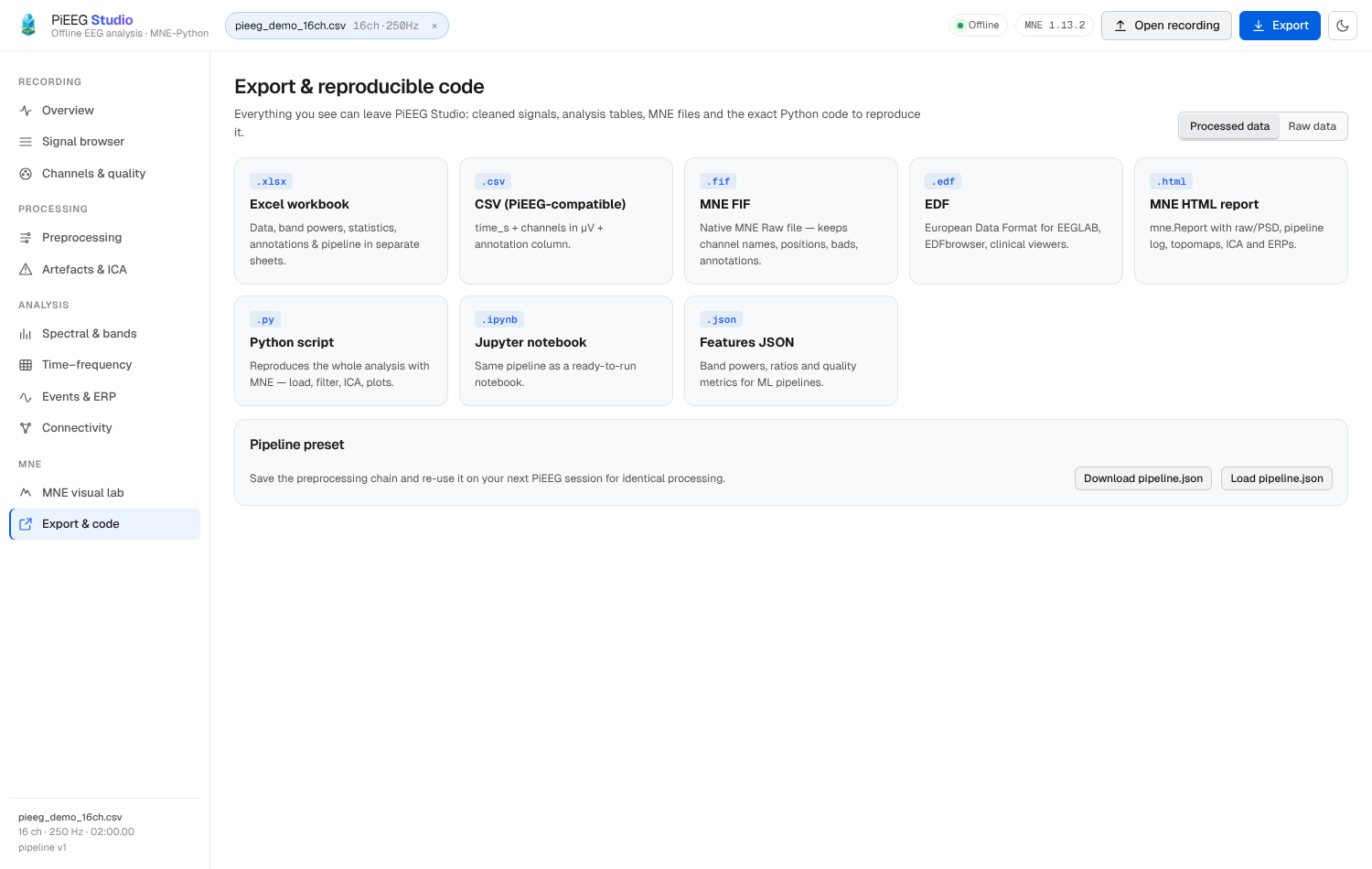 Export & reproducible code |
CLI Options
pieeg-studio [FILES…] [--host 127.0.0.1] [--port 1618] [--sfreq HZ] [--no-browser]| Flag | Default | Description |
|---|---|---|
FILES… | — | Optional recordings to preload on startup |
--host HOST | 127.0.0.1 | Bind address (use 0.0.0.0 to share on your LAN) |
--port PORT | 1618 | HTTP port (next to Dashboard 1617 and WebSocket 1616) |
--sfreq HZ | Auto | Force sampling rate for preloaded files |
--no-browser | — | Do not open a browser tab automatically |
Interactive REST API documentation is also served locally at http://127.0.0.1:1618/api/docs.